
Implementado Setup
Contenido del curso
Implementado Setup
Contenido del curso

Paul Lazcano

Ameth Ordoñez Erazo

Rubén Ernesto Aragón Gil

Sergio José Antozzi

Rodrigo Andrés Moreno Pertúz

Willie David Roa Hidalgo

Edgar Mauricio Pérez Rojas

Manuel Roa Ojeda

Miguel Angel Reyes Moreno

Rodolfo Medina
Miguel Angel Reyes Moreno

Cristhian Medina

josue Garay Hermoza

Irving Juárez
Ameth Ordoñez Erazo

Jefred Bedoya

Andrés Argote

Nicolas Molina
Profesor
Carlos Andrés Moreno Jimenez
Edgar Mauricio Pérez Rojas

Amanda Sierra

Jorge Iván Otero Vargas

Johanna Andrade Rivera

Cristian Mauricio Cavanzo Arias

Josue Quevedo Portas
Josue Quevedo Portas

José Nicolás Aristizabal Ramírez

Ronaldo Delgado
Por si se quieren ahorrar la ida al gh
class Person { constructor(name, weight, height) { this.name = name; this.weight = weight; this.height = height; } calcIMC() { const result = Math.round(this.weight / (this.height * this.height)); if (result < 0) { return 'no found'; } if (result >= 0 && result < 18) { return 'down'; } if (result >= 18 && result <= 24) { return 'normal'; } if (result >= 25 && result <= 26) { return 'overweight'; } if (result >= 27 && result <= 29) { return 'overweight level 1'; } if (result >= 30 && result <= 39) { return 'overweight level 2'; } if (result >= 40) { return 'overweight level 3'; } return 'not found'; } } module.exports = Person;
Tome su like ♥️ buen hombre
Papá eres tú?
Gracias
Gracias a esta clase me di cuenta de que tengo sobrepeso
jajaja aplica mi script de reduce_fat_fast para bajarle peso a las imagenes xD
🤣😂🤣
Código comentado / Resumen Agrupar los casos nos deja una mejor organización en el documento del test y en la salida de terminal.
// Aquí implementaremos los hooks y los grupos (describe) con una clase de pruebas. const Person = require('./06-person'); describe('Test for Person', () => { // Se agrupan las pruebas de rango IMC let person; // Se instancia el objeto persona para automatizar. beforeEach(() => { person = new Person('Rigo', 45, 1.7); // Asignamos datos a la nueva persona. }); test('should return down', () => { person.weight = 45; // Cambiamos los datos de la persona para este rango/caso. const imc = person.calcIMC(); expect(imc).toBe('down'); }); test('should return normal', () => { person.weight = 59; const imc = person.calcIMC(); expect(imc).toBe('normal'); }); });
~/.../testing-js/demos master ● npm run test -- 06-person > demos@1.0.0 test > jest "06-person" PASS src/06-person.test.js Test for Person ✓ should return down (8 ms) ✓ should return normal (1 ms) Test Suites: 1 passed, 1 total Tests: 2 passed, 2 total Snapshots: 0 total Time: 0.378 s, estimated 1 s Ran all test suites matching /06-person/i.
~/.../testing-js/demos master ● npm test -- 02-math > demos@1.0.0 test > jest "02-math" PASS src/02-math.test.js Test for math test for sum ✓ adds 1 + 3 should be 4 (2 ms) test for multiply ✓ should be 4 test for divide ✓ should divide (1 ms) ✓ should divide for zero (1 ms) test for volume ✓ should be 38 (1 ms) Test Suites: 1 passed, 1 total Tests: 5 passed, 5 total Snapshots: 0 total Time: 0.372 s, estimated 1 s Ran all test suites matching /02-math/i.
Encantando con eslint , jajjaja
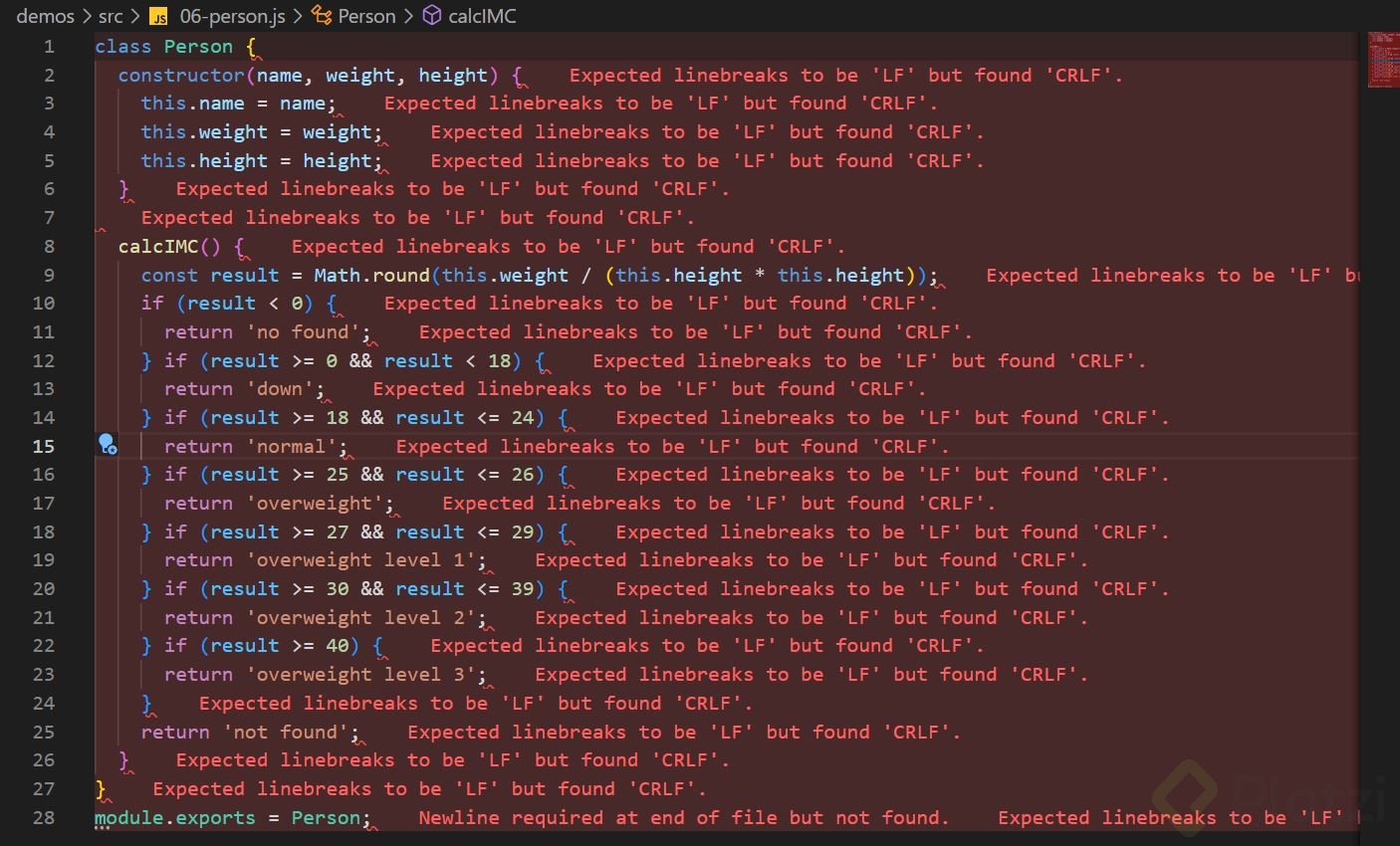
¿Tienes bien configurado tu archivo .editorconfig? Debería estar así:
root = true [*] indent_style = space indent_size = 2 charset = utf-8 trim_trailing_whitespace = true insert_final_newline = true end_of_line = lf # editorconfig-tools is unable to ignore longs strings or urls max_line_length = off [CHANGELOG.md] indent_size = false
Intenta reiniciando VS Code por si acaso. Esto de 'CLRF' es una cosa de Windows, mientras que en sistemas Unix usamos 'LF' por defecto.
Sé que ya pasaron 8 meses, pero por si alguien más le llegara a pasar (a mi me pasó en un trabajo que tuve jaja)
Coloqué la construccion del objeto person dentro de un beforeAll() de modo que solo se construya una vez y deba ser llamado con cada test. En este caso no es la gran optimización pero para casos mas grandes puede servir xD
const Person = require('./06-person'); describe('Person IMC', () => { let person; beforeAll(() => { person = new Person('Rodolfo', 60, 1.77); }); /* beforeEach(() => { person = new Person('Rodolfo', 60, 1.77); }); */ test('Person', () => { person.weight = 70; expect(person.calcIMC()).toBe('normal'); }); test('Person', () => { person.weight = 70; expect(person.calcIMC()).toBe('normal'); }); test('Person', () => { person.weight = 80; expect(person.calcIMC()).toBe('overweight'); }); });
Me está gustando esto :D
Implementando Setup
Para correr solamente 1 archivo de test, hacemos npm run test -- nombre-archivo.
Este comando te permite ejecutar un archivo en especifico enviando como parametro el Nombre del Archivo {name-file}.
npm run test -- {name-file}
El beforeEach no tiene mucho sentido usarlo en el ejemplo de Person, ya que la instancia de Person puede solo inicializarse una vez y en cada test que se le cambie el weight and height
Recuerden que para ejecutar un solo test, se debe agregar en el comando
npm run test -- 06-person
Con el -- y el espacio despues.
Como el acceso al contenido específico de esta clase no está disponible en este momento, me basaré en la lógica fundamental que requiere cualquier implementación de setup en el testing para que puedas avanzar.
El Propósito del Setup
Es preparar el estado inicial necesario para que tus pruebas sean deterministas. Sin un entorno controlado, los tests fallan por factores externos, no por errores en tu código.
Pilares de la Configuración
Flujo de Ejecución
Tengo una duda con respecto al setup de person de los test, cuál sería la diferencia entre usar beforeAll o beforeEach?.
No sería mejor usar beforeAll, ya que crearíamos solo una instancia de la clase Person y luego simplemente modificamos el peso?. En cambio, con beforeEach vamos a estar creando una instancia por cada test q vamos a correr.
eso depende mucho de ti estrategia de testing el cada prueba debe ser independiente y no se debe ver afectado por la anterior entonces es mejor crear una nueva instancia para que cada prueba tenga una ambiente desde cero y no sea afectado por otras pruebas...
BeforeEach se usa en este caso para asegurar que cada prueba tenga un estado inicial consistente y no se vea afectada por las modificaciones realizadas por otras pruebas. En cambio si usamos beforeAll si una prueba falla, podría ser debido a los efectos colaterales de otra prueba, lo que hace que sea más difícil determinar la causa de los errores
¿Un Hook sería como una analogía a un Timmer 0 para subrutinas cuando programamos en bajo nivel?
buenas tardes, alguien que me ayude por favor. Estoy practicando el testing con el juego de piedra, papel o tijera pero en la siguiente linea dice que me falta una coma ,
test('piedra' === 'piedra', 'papel' === 'papel', 'tijera' === 'tijera' should be 'empate', () => {
Está mal conformada la cadena de descripción del test.
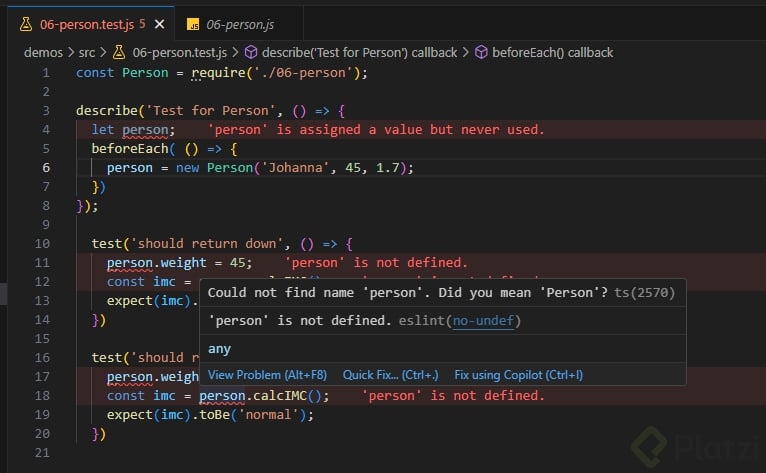
Está tan bueno el uso de esLint que no se porque al profe no le muestra alertas, y a mi si jajaj
El codigo en ts class Person { name: string; weight: number; height: number; constructor(name: string, weight: number, height: number) { this.name = name; this.weight = weight; this.height = height; } calcIMC(): string { const result = Math.round(this.weight / (this.height * this.height)); if (result < 0) { return 'no found'; } if (result >= 0 && result < 18) { return 'down'; } if (result >= 18 && result <= 24) { return 'normal'; } if (result >= 25 && result <= 26) { return 'overweight'; } if (result >= 27 && result <= 29) { return 'overweight level 1'; } if (result >= 30 && result <= 39) { return 'overweight level 2'; } if (result >= 40) { return 'overweight level 3'; } return 'not found'; }} export default Person;
class Person { name: string; weight: number; height: number; constructor(name: string, weight: number, height: number) { this.name = name; this.weight = weight; this.height = height; } calcIMC(): string { const result = Math.round(this.weight / (this.height * this.height)); if (result < 0) { return 'no found'; } if (result >= 0 && result < 18) { return 'down'; } if (result >= 18 && result <= 24) { return 'normal'; } if (result >= 25 && result <= 26) { return 'overweight'; } if (result >= 27 && result <= 29) { return 'overweight level 1'; } if (result >= 30 && result <= 39) { return 'overweight level 2'; } if (result >= 40) { return 'overweight level 3'; } return 'not found'; } } export default Person;
Hay una forma de mantener ejecutándose los test con cada guardado que hagamos en un archivo agregando al final del comando --watch, quedaría así:"test:watch": "jest --watch",
"test:watch": "jest --watch"
Agregué un segundo script nombrado como: test:watch para diferenciarlo del otro script que ya habíamos agregado anteriormente... les comparto mi código por si les sirve:
"scripts": { "test": "jest", "test:watch": "jest --watch", "lint": "eslint src/**", "lint:fix": "eslint src/** --fix" },
💪🏼
Hay una forma de mantener ejecutándose los test con cada guardado que hagamos en un archivo agregando al final del comando --watch, quedaría así:"test:watch": "jest --watch",
"test:watch": "jest --watch" ```Agregué un segundo script nombrado como: `test:watch` para diferenciarlo del otro script que ya habíamos agregado anteriormente... les comparto mi código por si les sirve: ```txt "scripts": { "test": "jest", "test:watch": "jest --watch", "lint": "eslint src/**", "lint:fix": "eslint src/** --fix" }, ```💪🏼
modifiqué el script que corre las pruebas para que también corrija los errores de linter, así:
"test": "jest && eslint src/** --fix"
Muy buen video!





