Comandos Básicos de Docker
Creación del contenedor de Docker
-
ouch Dockerfile
-
Contenido del archivo Dockerfile
--FROM tomcat:8
--COPY target/petclinic.war /usr/local/tomcat/webapps
--EXPOSE 8080
-
docker build ./
-
docker tag <image id> spring-framework-petclinic
-
docker rm $(docker ps -qa)
-
gcloud auth configure-docker
-
docker tag spring-framework-petclinic gcr.io/[PROJECT-ID]/spring-framework-petclinic:v1
-
docker push gcr.io/[PROJECT-ID]//spring-framework-petclinic:v1
-
gcloud container images list
Pods y Deployments en práctica
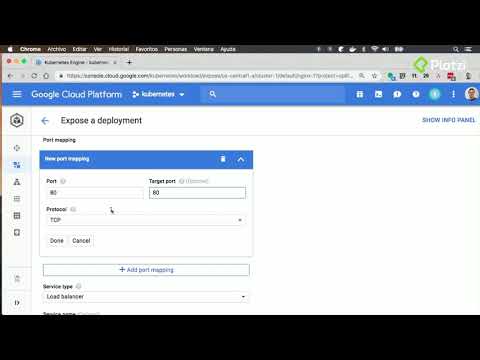
Todo fue por interfaz gráfica
Servicios en práctica
Todo fue por interfaz gráfica
Archivos descriptivos de infraestructura teoría y práctica
- kubectl create -f deployment.yaml
- kubectl create -f service.yaml
Labels y Namespaces en práctica
- kubectl get namespaces
- kubectl create namespace desarrollo
- kubectl --namespace=desarrollo create -f deployment.yaml
Implementando Deployment avanzados
Todo fue por interfaz gráfica
Volúmenes en práctica
- touch volume.yaml
- contenido del archivo
apiVersion: v1
kind: Pod
metadata:
name: test-pd
spec:
containers:
- image: tomcat:8
name: test-container
volumeMounts:
- mountPath: /test-pd
name: test-volume
volumes:
- name: test-volume
#This GCE PD must already exist.
gcePersistentDisk:
pdName: my-data-disk
fsType: ext4
- kubectl create -f volume.yaml
Desplegar una aplicación Stateful Práctica
- touch mysql.yaml
- Contenido del archivo mysql.yaml
apiVersion: v1
kind: Pod
metadata:
name: mysql
spec:
containers:
- image: mysql:5.6
name: test-container
env:
- name: MYSQL_ROOT_PASSWORD
value: password
ports:
- containerPort: 3306
name: mysql
volumeMounts:
- mountPath: /var/lib/mysql
name: mysql-persistent-storage
volumes:
- name: mysql-persistent-storage
gcePersistentDisk:
pdName: disk-2
fsType: ext4
apiVersion: v1
kind: Service
metadata:
name: mysql
spec:
ports:
- port: 3306
selector:
app: mysql
clusterIP: None
- kubectl create -f mysql.yaml
Auto Scaling en práctica
- sudo apt-get install apache2-utils
- ab -t 10 -n 100000 -c 10 <ip loadbalancer>
Node Pools práctica
- touch node_pool.yaml
- Contenido del archivo node_pool.yaml
apiVersion: v1
kind: Pod
metadata:
name: nginx
labels:
env: test
spec:
containers:
- name: nginx
image: nginx
imagePullPolicy: IfNotPresent
nodeSelector:
name: pool1
- kubectl create -f node_pool.yaml
- touch pod1.yaml
- Contenido del archivo pod1.yaml
apiVersion: v1
kind: Pod
metadata:
name: nginx
labels:
env: test
spec:
containers:
- name: nginx
image: nginx
nodeSelector:
name : pool1
- kubectl create -f pod1.yaml
Generando un certificado https
Todo fue por interfaz gráfica
CI/CD con Cloud Builder práctica
- git clone https://github.com/cprietorod/cloudBuilder.git
- git config --global credential.https://source.developers.google.com.helper gcloud.sh
- git remote add google https://source.developers.google.com/p/<ID proyecto>/r/hello
- git push --all google
contenido del archivo cloudbuild.yaml
steps:
- name: 'gcr.io/cloud-builders/docker'
args: [ 'build', '-t', "gcr.io/$PROJECT_ID/hello-web-app:v$BUILD_ID", '.' ]
- name: 'gcr.io/cloud-builders/docker'
args: ['push', "gcr.io/$PROJECT_ID/hello-web-app:v$BUILD_ID"]
env:
- CLOUDSDK_COMPUTE_ZONE=${_CLOUDSDK_COMPUTE_ZONE}
- CLOUDSDK_CONTAINER_CLUSTER=${_CLOUDSDK_CONTAINER_CLUSTER}
- git add .
- git commit -m "some changes"
- git push google master