Que buen aporte bro, gracias.
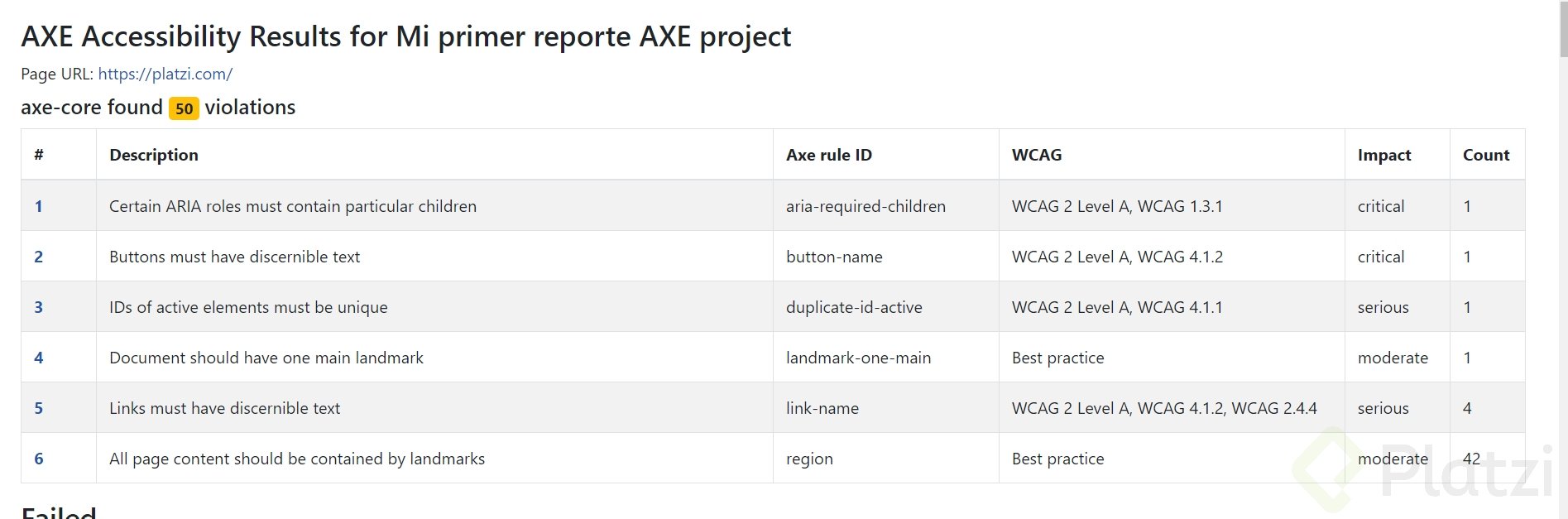
Expandi el codigo agregando un try catch por si las moscas, agregando todas las propiedades del createHtmlReport y commentando la explicacion de cada una, tambien usando css para cambiar el fondo de la pagina a negro y el color del texto a blanco y por ultimo agregue 2 funciones mas para asegurar que la pagina cargue por completo antes de generar el reporte, espero les sea util,
// Import the necessary libraries for generating accessibility reportsconst { AxePuppeteer } = require('@axe-core/puppeteer')
const puppeteer = require('puppeteer')
const {createHtmlReport} = require('axe-html-reporter');
// Function to wait until the page is stable by checking for network activityconst waitUntilPageIsStable = async (page) => { // Wait for the network to be idle for (5 seconds) await page.waitForNetworkIdle({ idleTime: 5000 });};
// Function to wait for a specific element to appear on the pageconst waitForElement = async (page, selector, timeout = 10000) => { // Waits for the element matching the selector to appear, with a default timeout of (10 seconds) await page.waitForSelector(selector, { timeout });};
describe('Accessibility', () => {
let browser let page beforeAll(async () => { browser = await puppeteer.launch({ headless: false, defaultViewport: null, });
page = await browser.newPage(); }, 10000);
test('Generates HTML Accessibility Report With Axe Library', async () => { //Bypasses the content security policy page.setBypassCSP(true) //awaits till the site doesnt have any more pending connections to make page.goto('https://www.remodelrepublic.com', { waitUntil: 'networkidle2' });
//waits until Site is fully loaded await waitUntilPageIsStable(page); await waitForElement(page, 'img'); try {
//Analyzes the given page const rawAxeResults = await new AxePuppeteer(page).analyze();
//Sets the properties of the report createHtmlReport({ results: rawAxeResults, options: { //Represents the project name or key projectKey: 'My First AXE Accessibility Report', //A boolean that, when set to true, prevents the creation of the report file. Instead, the HTML content is returned as a string. doNotCreateReportFile: false, //String that specifies the name of the report file. If not provided, a default name like accessibilityReport.html is used. reportFileName: 'AccessibilityReport.html', //The directory where the report file should be saved. outputDir: './HTML-Reports', //Allows you to add custom HTML content to the summary section of the report. This can be used to include additional information or styling. customSummary: \<style> body { background-color: black; color: white; } \</style> \<p>Custom summary content\</p>,
} }); //Adds a CSS selector to the list of elements to include in analysis // new AxePuppeteer(page).include('.results-panel'); //Add a CSS selector to the list of elements to exclude from analysis // new AxePuppeteer(page).include('.results-panel').exclude('.results-panel h2'); //Prints only The First accessibility violation of the report console.log(rawAxeResults.violations[0].nodes[0]) } catch (e) { console.error('Error Found:', e); }
},350000)
afterAll(async () => { await browser.close();});
})