from airflow importDAGfrom airflow.operators.pythonimportPythonOperatorfrom airflow.operators.bashimportBashOperatorfrom datetime import datetime
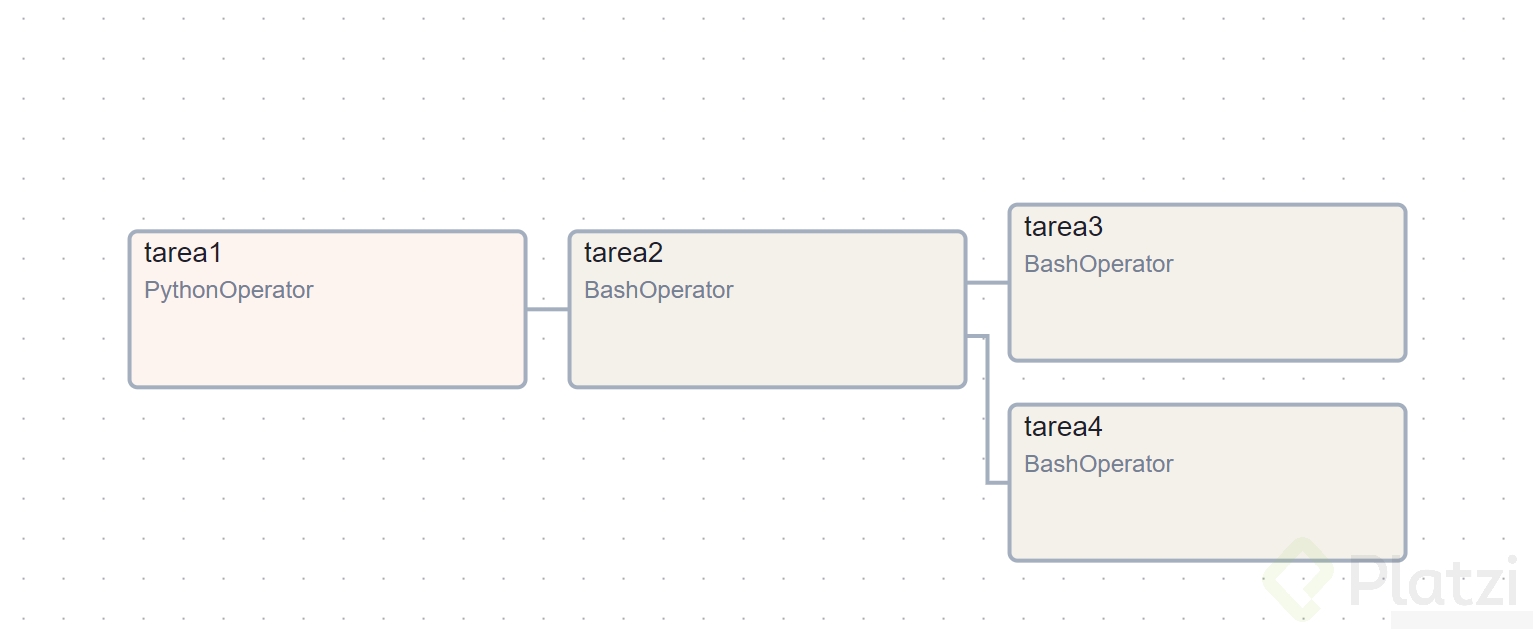
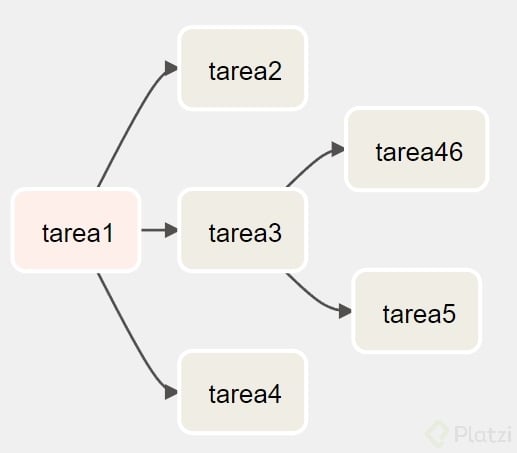
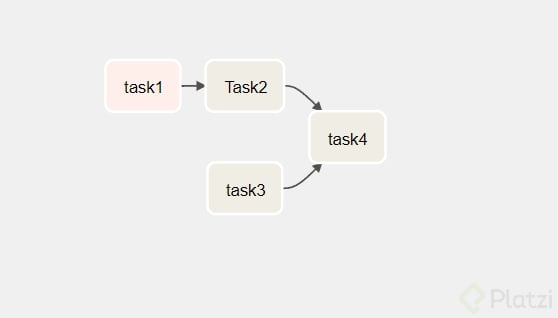
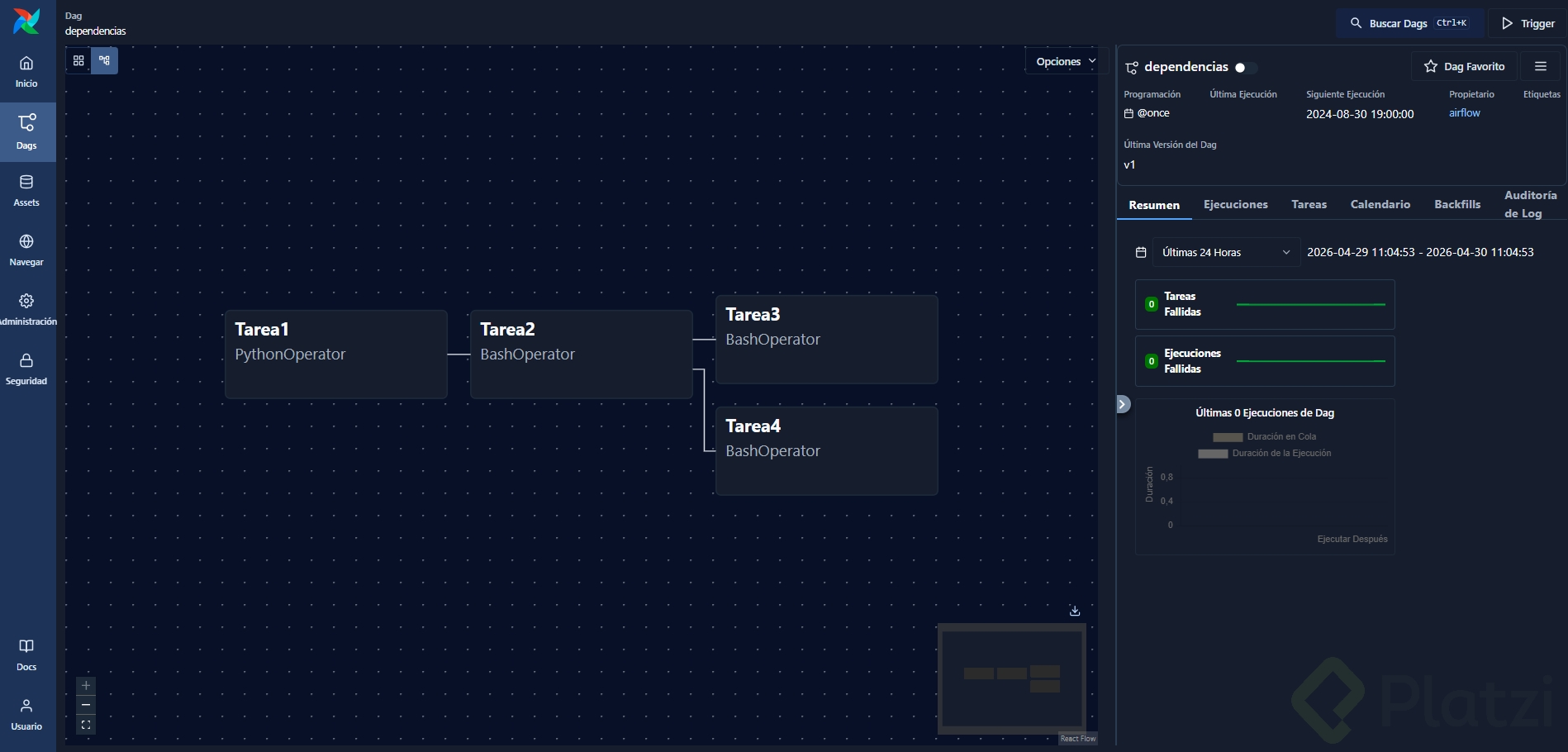
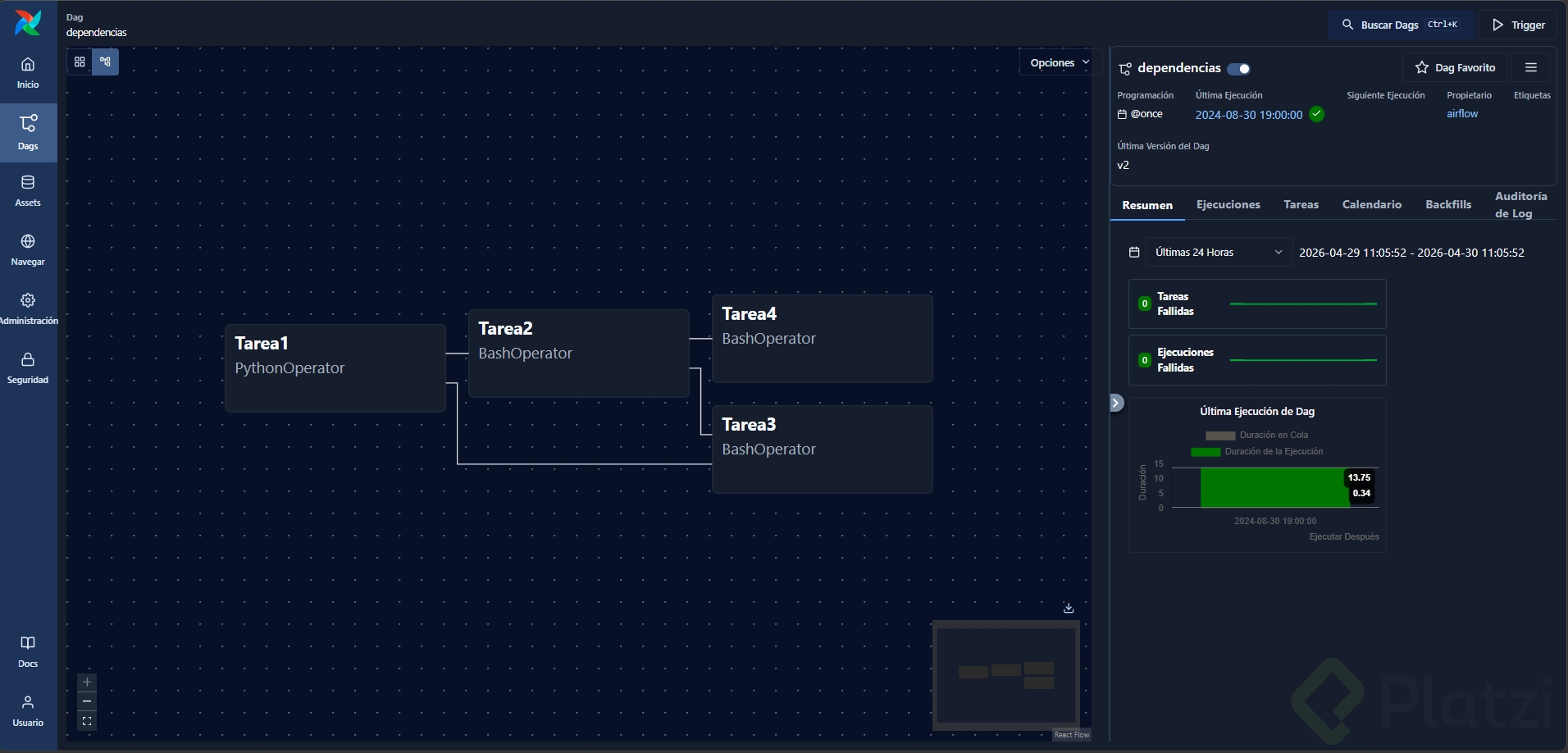
def print_hello():returnprint('hello world with python in airflow')withDAG(dag_id='dependencias', description='DAG con dependencias', schedule_interval='@once', start_date=datetime(2022,7,1))asdag: t1 =PythonOperator(task_id='t1_primer_task_python', python_callable=print_hello) t2 =BashOperator(task_id='t2_task_bash', bash_command='echo "Tarea 2"') t3 =BashOperator(task_id='t3_task_bash', bash_command='echo "Tarea 3"') t4 =BashOperator(task_id='t4_task_bash', bash_command='echo "Tarea 4"') t1.set_downstream([t2, t3])[t2, t3]>> t4
no tiene sentido hacer eso.
Ya se siente el poder de Airflow!
Excelente Daniel 😁
Resultado:
Me parece muy práctica y legible la forma de usar ambas nomenclaturas. Me recuerda a los diagramas de P&ID.
Para ejecutar tareas en Apache Airflow en un entorno separado, debes utilizar un ejecutor que permita la distribución del trabajo. Puedes optar por el CeleryExecutor o el DaskExecutor. Estos ejecutores permiten que Airflow envíe las tareas a un cluster de trabajadores, procesando así el trabajo en máquinas distintas.
Debes configurar tu archivo airflow.cfg para especificar el executor adecuado y asegurarte de que los trabajadores estén correctamente instalados y configurados para recibir las tareas. Esto permite una separación efectiva entre el procesamiento y la ejecución de tareas en Airflow.
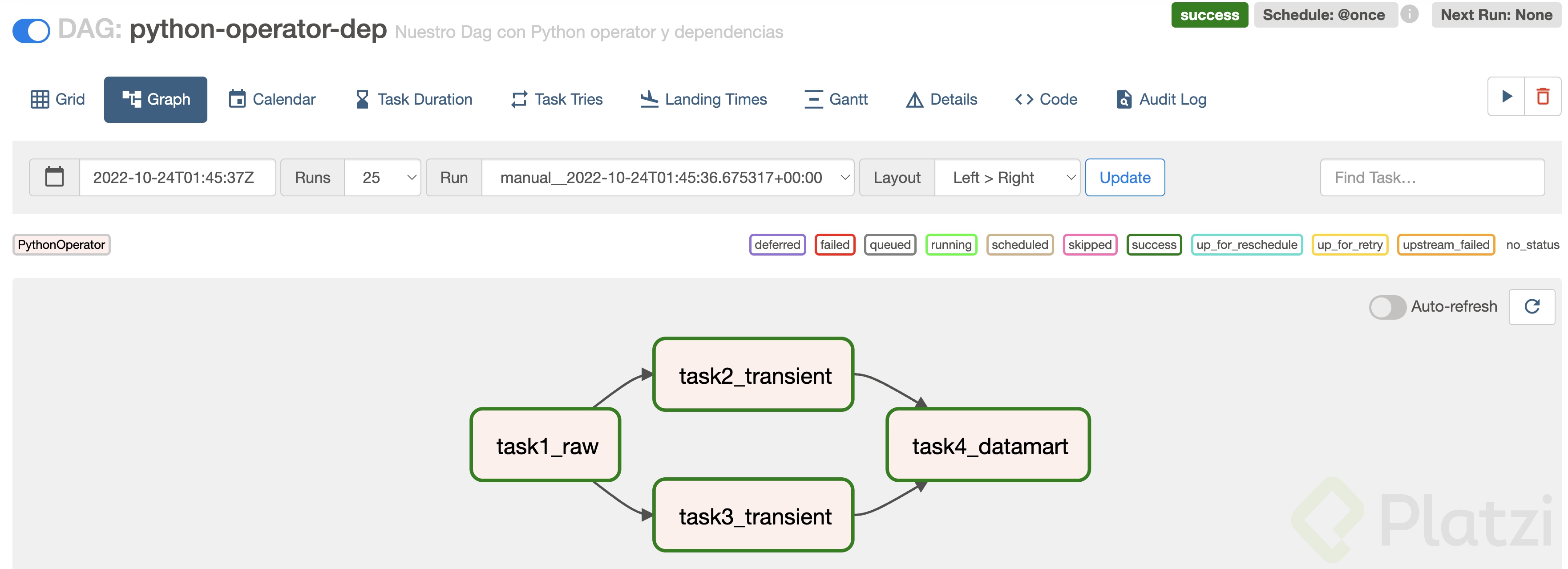
Así se vio mi ejemplo realizado con el material del curso
No me funciono, debi usar un DummyOperator, alguien sabe el por que? Gracias
¿Qué error obtuviste?
from airflow importDAGfrom airflow.operators.python_operatorimportPythonOperatorfrom datetime import datetime
def print_hello():print("Hello Oscar :)")withDAG(dag_id="python_operator", description="Nuestro primer DAG utilizando Python Operator", schedule_interval="@once", start_date=datetime(2023,10,18))asdag: t1 =PythonOperator(task_id="hello_with_Python", python_callable=print_hello)
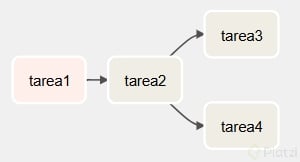
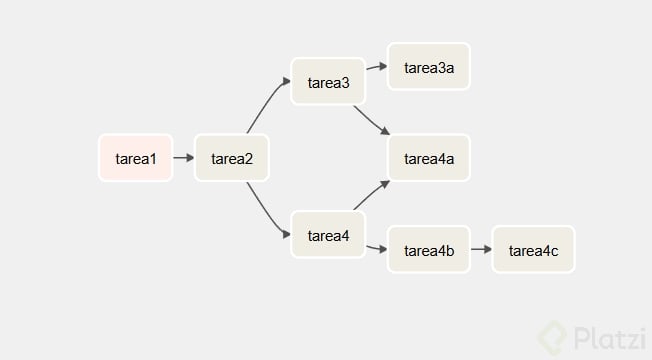
con 5 tareas:
--> t3
t1 ---> t2 |-->t5
--> t4
from airflow import DAG
from airflow.operators.python import PythonOperator
from airflow.operators.bash import BashOperator
from datetime import datetime
import time
defprints(): timestamp =int(time.time())# Print the timestampprint("Current timestamp:", timestamp)defprints2(): time.sleep(3) timestamp =int(time.time())# Print the timestampprint("Current timestamp2:", timestamp)with DAG( dag_id='dependencias', description='our first DAG making depencies between taks', schedule_interval='@once', start_date=datetime(2023,8,3))as dag: t1=PythonOperator(task_id='task1', python_callable=prints
) t2=BashOperator(task_id="task2", bash_command="echo 'Hello platzis people'") t3=PythonOperator(task_id='task3', python_callable=prints2
) t4=BashOperator(task_id="task4", bash_command="echo 'task4'") t5=BashOperator(task_id="task5", bash_command="echo 'task5'")"""
\--> t3
t1 ---> t2
\--> t4
"""#t1.set_downstream(t2)#t2.set_downstream([t3,t4])"""
\--> t3
t1 ---> t2 |-->t5
\--> t4
""" t1 >> t2 >>[t3,t4]>> t5
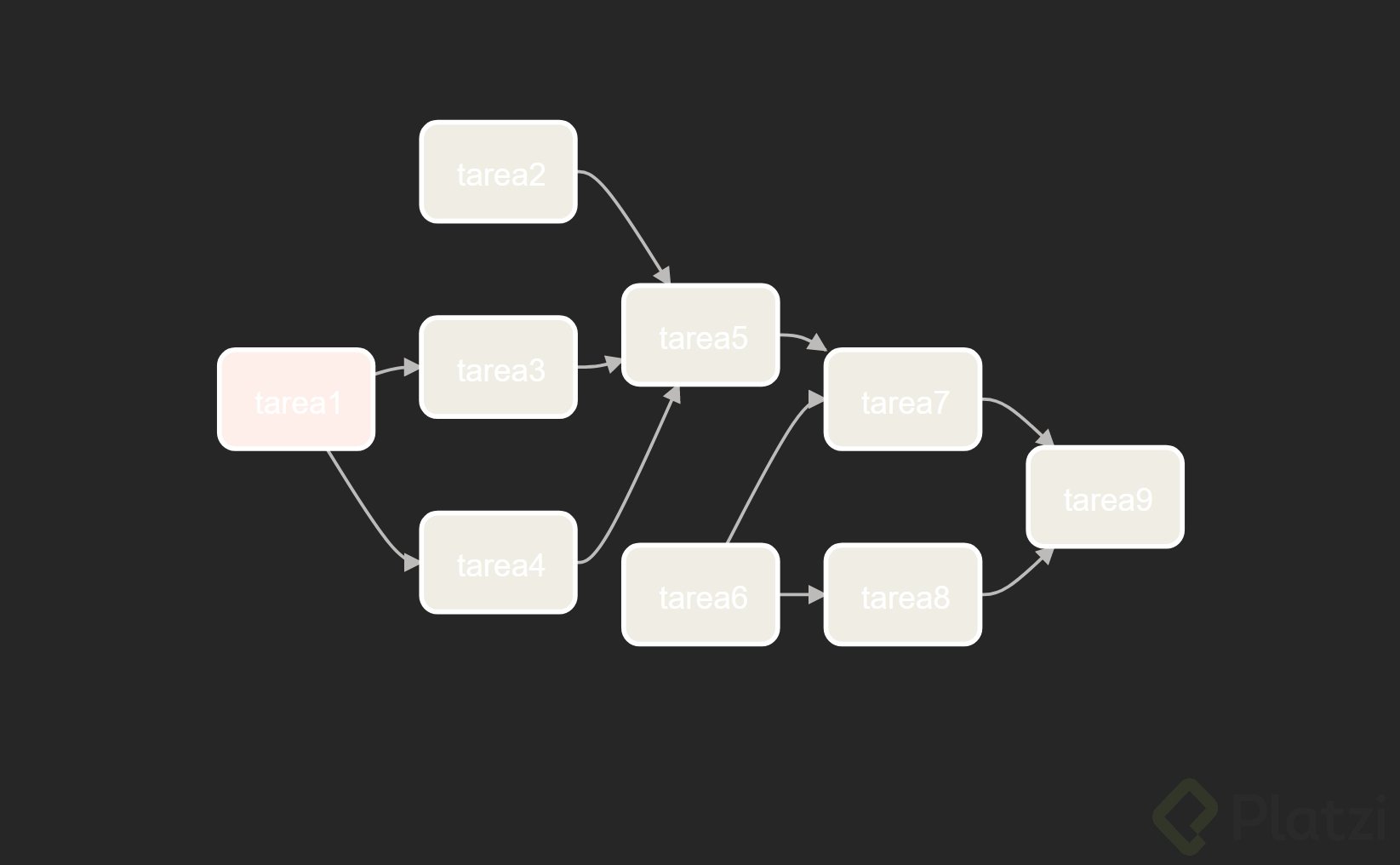
Dependencies are a powerful and popular Airflow feature. In Airflow, your pipelines are defined as Directed Acyclic Graphs (DAGs). Each task is a node in the graph and dependencies are the directed edges that determine how to move through the graph. Because of this, dependencies are key to following data engineering best practices because they help you define flexible pipelines with atomic tasks.
Throughout this guide, the following terms are used to describe task dependencies:
Upstream task: A task that must reach a specified state before a dependent task can run.
Downstream task: A dependent task that cannot run until an upstream task reaches a specified state.
Me gusta mucho este tipo de herramientas, se puede combinar con aws lambda y se puede hacer muchas cosas interesantes
from airflow importDAGfrom airflow.operators.pythonimportPythonOperatorfrom airflow.operators.bashimportBashOperatorfrom datetime import datetime
def print_hello(country,**kwargs):print(f'I am processing this {country}')withDAG(dag_id='dependecias', description='Creando dependencias entre tareas', start_date=datetime(2023,6,7), schedule_interval='@once')asdag: t1 =PythonOperator(task_id='process_ar', python_callable=print_hello
, op_kwargs={'country':'AR'}) t2 =PythonOperator(task_id='process_uy', python_callable=print_hello
, op_kwargs={'country':'UY'}) t3 =BashOperator(task_id='process_mx', bash_command="echo 'processing MX'") t4 =BashOperator(task_id='process_co', bash_command="echo 'processing CO'") t1 >>[t2, t3]>> t4
Totalmente, con AWS Lambda y Airflow hay un potencial muy grande
Conectemos en LinkedIn, GitHub, Medium o Redes sociales
B)
¿Se pueden crear dependencias entre DAGs?
Correcto, más adelante en el curso lo hacemos. Se hace con los sensores
¿Cual es la diferencia entre **set_downstream **y set_upstream?
La diferencia es como defines el orden entre las tareas, la downstream es más natural
Tengo esta linea en mi yaml file pero continuo viendo los ejemplos, que puedo hacer para que no se sigan viendo?
Gracias
AIRFLOW__CORE__LOAD_EXAMPLES:'false'
Tendrías que regenerar la imagen de Docker, docker compose build
Ejecuta en consola:
docker-compose up airflow-init
docker-compose up -d
~ Por cierto, ya conectamos en LinkedIn? ~
Conectemos en LinkedIn, GitHub, Medium o Redes sociales
hubiera sido util que corrieras esa tarea, en mi caso la corro y aumenta el contador de "runs" pero no se ve nada en "recent tasks" y en "graph" no muestra que se haya ejecutado nada
Puede ser que los filtros de búsqueda no estén bien. Intenta ejecutar varios días
Entendiendo un poco esto:
Procesamiento de datos segmentados: Dividir datasets grandes para procesarlos en paralelo.
<!---->
Pipeline de ML: Entrenar diferentes modelos simultáneamente con los mismos datos.
<!---->
Alertas y notificaciones: Enviar notificaciones a distintos canales según resultados.
<!---->
Validaciones de calidad: Ejecutar diferentes controles de calidad en paralelo.
Actualizaciones de dashboards: Actualizar distintas visualizaciones tras procesar datos.
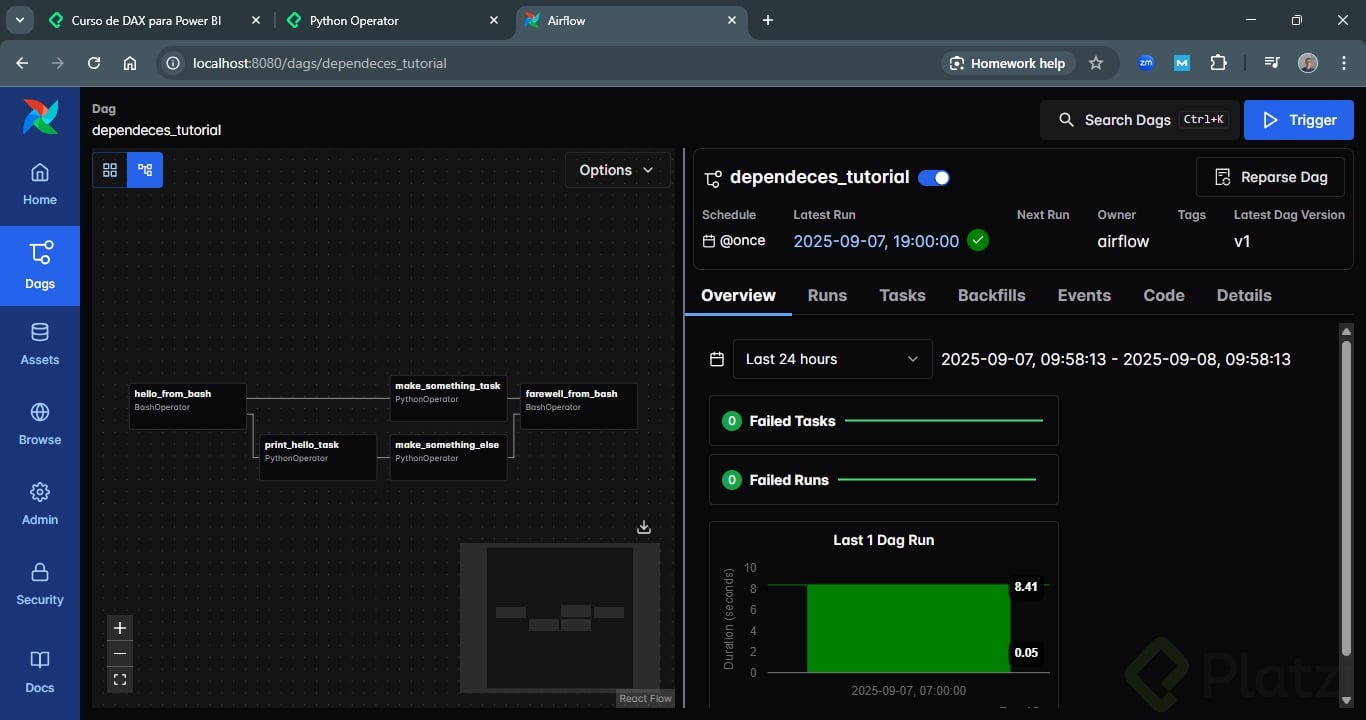
Me dio curiosidad de cómo conectar varios flujos y pues este fue el resultado: