Speed up your workflow by refactoring large React components in Lovable. When a single file grows to hundreds of lines, even small edits slow down. By splitting logic and UI into focused sub-components, you help the AI edit faster, reduce confusion, and keep your build moving.
Why refactor oversized components in Lovable?
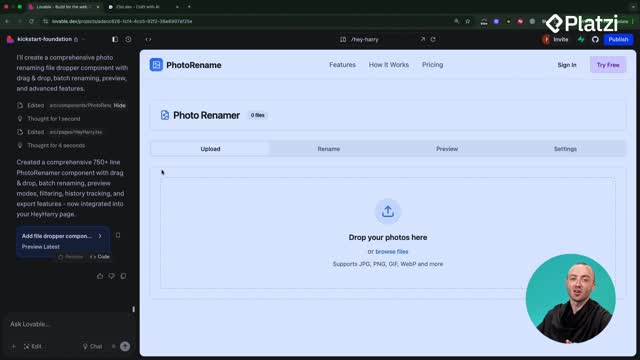
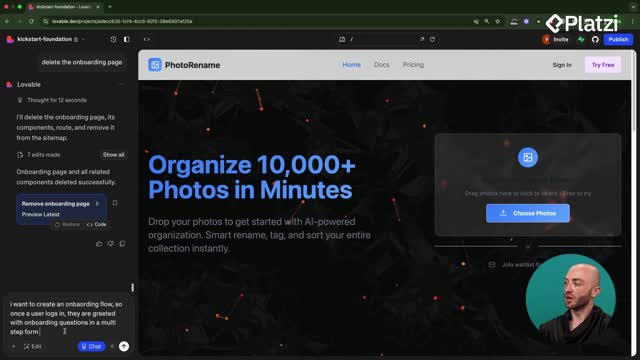
A single "photo renamer" component ballooned to nearly a thousand lines, making each prompt take around 10 seconds to apply. That delay compounds when you’re iterating on simple tweaks like a color, a label, or a button.
- Large files slow down edits. The AI must parse and modify everything, even for minor changes.
- Rule of thumb: if a component passes 200–300 lines, consider refactoring.
- Smaller components mean precise changes. Edit only the part you mention, not the entire file.
- Less confusion for AI. Big components increase the chance of misapplied edits.
How to refactor into clear sub-components?
The quick win is to prompt Lovable to reorganize the file into smaller, purpose-driven pieces.
What prompt should you use?
- Type: "Refactor the photo renamer component into smaller files.".
- Aim for separation of concerns: look, function, and header in different files.
- Ask for an organized system: subfolders and clear names inside the components directory.
How to plan safely before editing?
- If refactoring feels risky, use chat mode first to outline the plan.
- Confirm what belongs in each sub-component: header, tabs, dropper, buttons.
- Then run the refactor prompt to apply the agreed structure.
What changes after refactoring and how to edit faster?
Post-refactor, the original file dropped from about a thousand lines to roughly a hundred. Lovable created a components/Photo Renamer folder with dedicated files for the UI elements. Now edits target a small surface area.
How does this impact everyday edits?
- Example prompt: "Redesign the drop zone to make it more inviting.".
- Because the drop zone is its own component, the edit completes in seconds.
- Future tweaks (like renaming the header) touch only a few lines, not the entire app.
Which skills and keywords matter?
- Refactoring: reorganizing a big component into smaller, maintainable parts.
- Sub-components: focused files for UI pieces like the header, tabs, drop zone, and buttons.
- Separation of concerns: dividing look (presentation) from function (logic) for clarity and speed.
- Prompt writing: clear requests like "refactor into smaller files" or "rename the photo renamer header".
- Chat mode planning: draft the structure before running edits to avoid surprises.
- System knowledge: ask for tidy subfolders and consistent naming in the components directory.
- Code mode vs. non-technical view: you don’t need to read all code to apply this strategy.
- Performance insight: moving from thousand-line files to ~100-line files reduces edit time from ~10 seconds to a couple of seconds for focused changes.
Have you tried splitting a slow component into sub-components in Lovable? Share your experience and the prompts that worked best for you.