Contenido del curso


Audiencias y targeting


Anuncios que si funcionan


Implementación inteligente


Métricas, optimización y escala


Aprovecha el sistema y vence
- 20

Meta's Four AI Brains That Spend Your Budget
05:27 min - 21

Meta Catalog Ads That Follow Every Shopper
Viendo ahora - 22

Campañas de mensajes en Facebook Ads para ventas y leads
05:32 min - 23

Reglas automáticas para escalar presupuestos en Facebook Ads
05:57 min - 24

Principios fundamentales del performance marketing exitoso
03:12 min
Meta Catalog Ads That Follow Every Shopper
Resumen
Picture this: someone abandons a product in their cart and later sees an ad showing exactly that item. Or a shopper who started checkout sees the same product they left behind. That's the power of Meta product catalogs, and learning how to create one, connect it to your pixel and plug it into campaigns is what unlocks dynamic, personalized ecommerce ads.
¿How do I create a product catalog in Meta Ads Manager?
The setup lives inside Business Settings, under Data Sources and Catalogs. From there, the blue Add button lets you build a new catalog from scratch or import one from another Business Manager.
Meta recommends keeping a single catalog per business to avoid fragmentation, but you can override the warning if your operation needs more than one. Name your catalog something descriptive, like Catálogo Productos Ejemplo, so it's easy to find later.
¿What is a product catalog in Meta? It's a structured list of your products (with title, description, image, price and link) that Meta uses to populate dynamic ads automatically based on user behavior.
¿Should I connect my catalog through a partner platform?
If your store runs on Shopify, WordPress or any other listed partner, the partner integration is the fastest path. For everything else, the direct setup inside Meta works well and gives you full control over how products are uploaded and refreshed [01:30].
¿How do I upload products and link them to my pixel?
During creation, Meta asks you to link the catalog to your pixel. This step is non negotiable for retargeting, because the pixel is what tells Meta which products each user viewed, added to cart or purchased.
You then assign roles: who in your team can edit and use the catalog. Once that's set, you reach the upload screen with two paths:
- Manual upload: a form where you fill in title, description, photo and price one product at a time.
- Data feed: bulk upload using a CSV file or, the recommended option, a Google Sheet URL.
The Google Sheet method wins because any update you make in the cloud syncs directly to your catalog. Just remember to set the sheet's sharing permissions to public so Meta can read it [03:45].
¿How often should the catalog refresh?
When you paste the sheet URL, Meta asks for the currency (in the example, Mexican pesos) and the update schedule. Unless your inventory changes constantly, once a day is enough, and the exact hour (12:00 a.m. works fine) doesn't really matter.
¿What's the best update frequency for a Meta catalog? Daily is the sweet spot for most stores. Only go more frequent if prices, stock or product details change multiple times per day.
¿How do product sets make my campaigns more effective?
Once the catalog is live, Meta auto creates a set with all your products. But the real power comes from building custom product sets that match specific campaigns or audiences.
There are two ways to build a set:
- Manual selection: handpick items, useful when there's no shared attribute. Example: a Primavera collection grouping a light blue denim pant, an embroidered cap and a gray tee.
- Filter rules: define conditions like "product title contains pantalón" and Meta builds the set automatically. New products that match the rule join the set on their own when the sheet updates.
This automation is why filter based sets scale better than manual ones, especially for catalogs with dozens or hundreds of SKUs.
¿How do I use a catalog inside a real campaign?
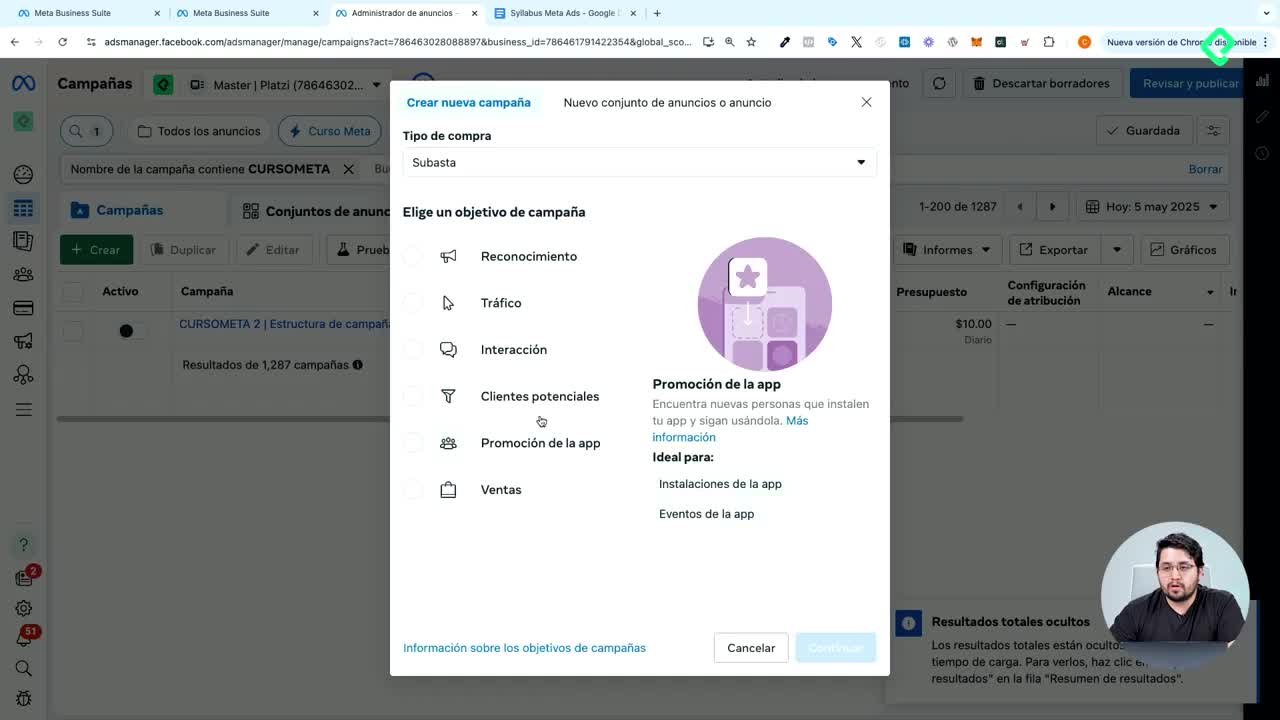
In Ads Manager, create a campaign with the Sales objective and enable Advantage+ catalog ads. Meta will preselect the catalog you just built. At the ad set level, the conversion location options change, choose single conversion location, website, and pick the product set you want to push.
You then choose between two audience strategies:
- Find new customers: Meta uses your products to attract people who haven't interacted with your business.
- Retarget visitors: show ads to people who already saw your products on or off Facebook, powered entirely by the pixel.
For retargeting, you can target viewers, cart abadoners, or run upsell and cross sell logic, where someone who saw one set (say, all products) gets shown a different set next (like just pants).
¿What ad formats unlock with a catalog?
Two formats become especially powerful:
- Carousel based on catalog: products appear in sequence, ordered by what the shopper showed interest in.
- Collection format with instant experience: a full screen, store like layout where users browse multiple products without leaving Facebook or Instagram.
The collection format shortens the journey dramatically. A user taps the ad, browses an instant storefront and lands directly on the product page they care about, no homepage, no menu hunting. Meta even reorders the products by individual interest, so a shopper who already eyed your caps will see caps first [10:20].
For the cover, you can use a static image (like a jogger photo) or a video, customize the button text to something like ver más, and link out to your full store. The result is a creative that feels like a mini ecommerce site embedded inside the ad.
¿Already running catalog campaigns? Share in the comments which product sets are giving you the best ROAS.