Microsoft Copilot Cowork is the new autonomous AI agent inside Microsoft 365 that goes beyond answering prompts: it plans, executes tasks across apps, and works in the background using Anthropic's Claude models. If you already use Copilot to search emails or summarize documents, Cowork takes that experience further by acting on your behalf with files, calendar, and Teams.
What is Microsoft Copilot Cowork and how is it different from Copilot?
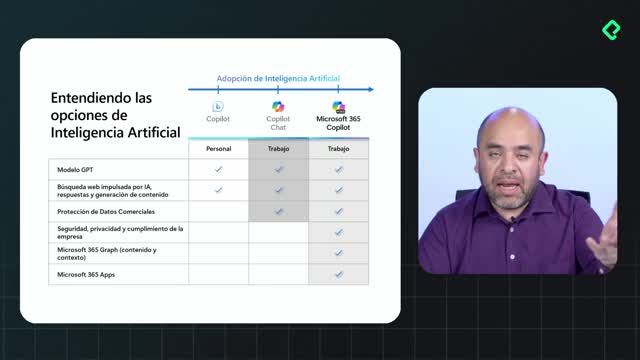
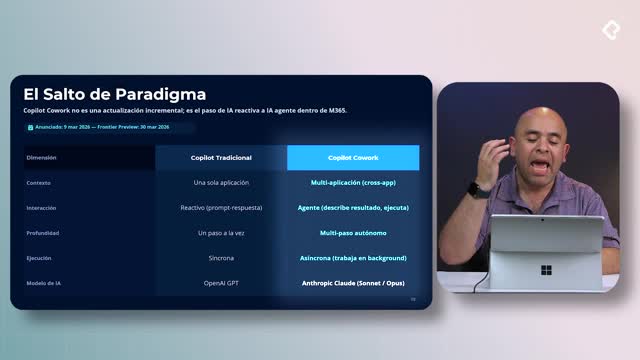
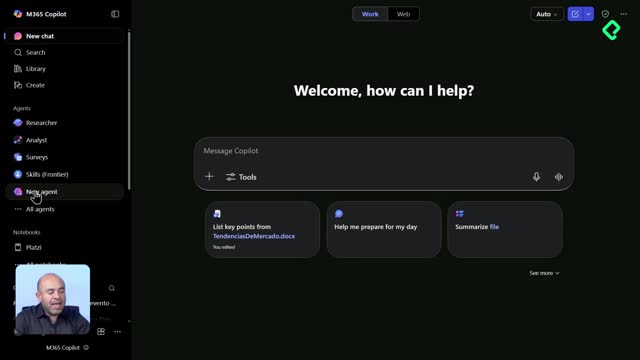
Copilot is a reactive assistant: you send a prompt, it responds with a single step, usually tied to one model. Cowork, on the other hand, is an autonomous agent that orchestrates multiple steps, multiple apps, and executes actions without you babysitting the screen [00:30].
Think of it this way. Copilot finds the document. Cowork edits the Word file, builds the Excel, drafts the email, and pings you on Teams, all from the same instruction.
What does autonomous mean in Cowork? It means the agent plans a sequence of steps, runs them in the background, and only pauses to ask permission before sensitive actions like sending an email or a notification.
The other big shift is that you can close your laptop. Cowork keeps working behind the scenes and reports back when it needs you.
How does Cowork's architecture connect with Microsoft 365?
Cowork sits on top of the Microsoft 365 Copilot platform as the orchestrator [02:00]. Underneath there is a runtime that provisions secure spaces to manage files, run scripts, and modify documents, plus a sandbox protected by Microsoft 365 data loss prevention and identity tools.
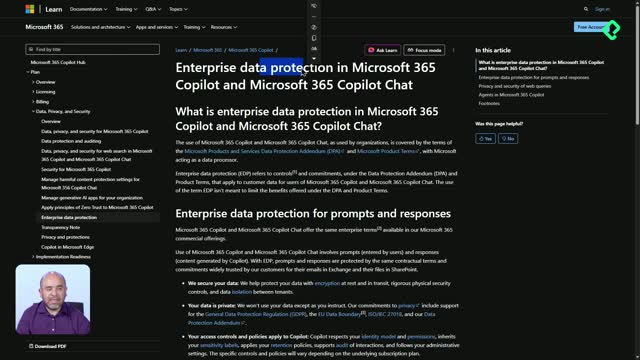
Your data never leaves your tenant. Only the model calls reach Anthropic, and the processing happens on their side without storing your content inside the Microsoft Graph.
Once inside the tenant, Cowork has access to what Microsoft calls Work IQ: every document, file, and email you work with daily, indexed to generate intelligence around your activity [02:45]. It also taps into Outlook, Teams, OneDrive, and soon SharePoint, plus third-party tools and APIs.
Which Claude models power Cowork and when does each one run?
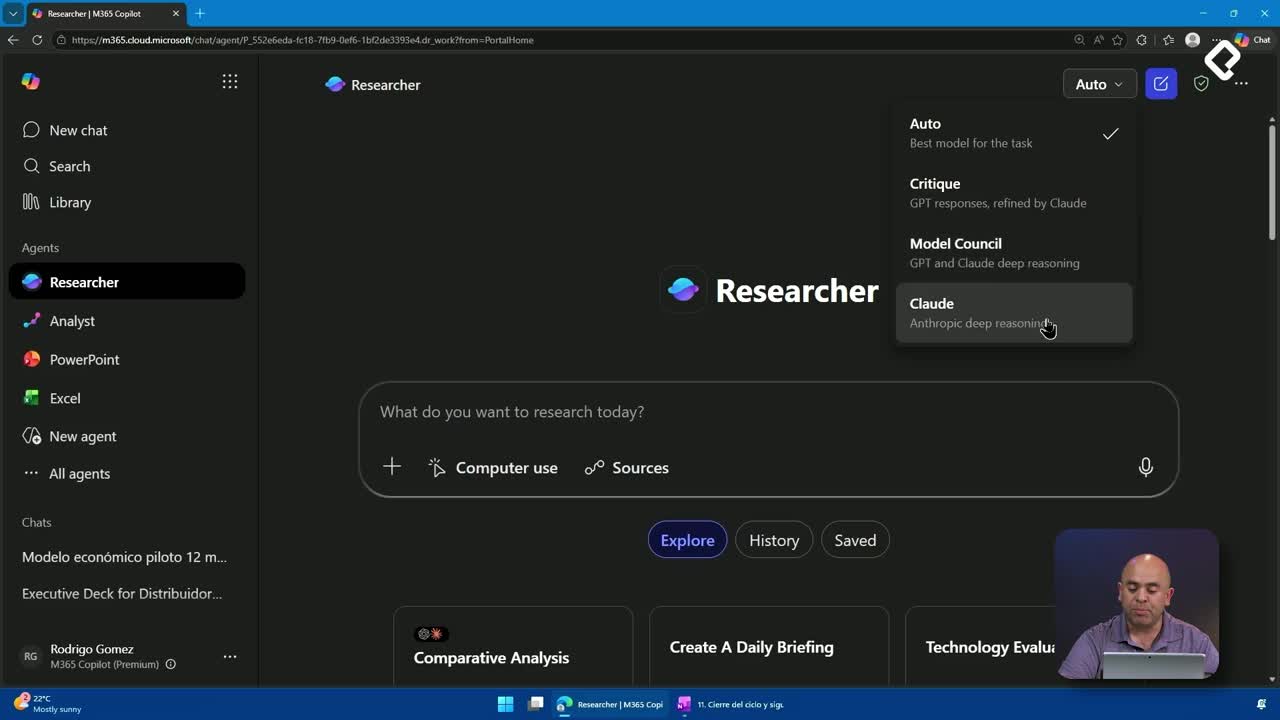
Cowork runs on two Anthropic models, each with a different job:
- Claude Sonnet 4.6: the fast model. Handles roughly 80% of tasks like quick summaries, drafting short documents, or generating files on the fly [03:40].
- Claude Opus 4.6: the deep reasoning model. Handles around 20% of tasks where you need cross-source analysis, complex insights, or layered summaries.
You can switch between them from the top-right corner of the Cowork interface, depending on whether you need speed or depth.
When should I use Claude Opus instead of Sonnet? Use Opus when you need to analyze multiple data sources, extract insights, or build a complex synthesis. Use Sonnet for fast, everyday tasks like drafting or summarizing.
How do skills extend what Cowork can do?
Cowork ships with 13 predefined skills that specialize the agent for tasks like research, documentation, or generating Word, Excel, and PDF files [04:30]. You can also build and integrate your own skills, which turns Cowork into a customizable layer for your team's workflows.
What do administrators need to enable before using Cowork?
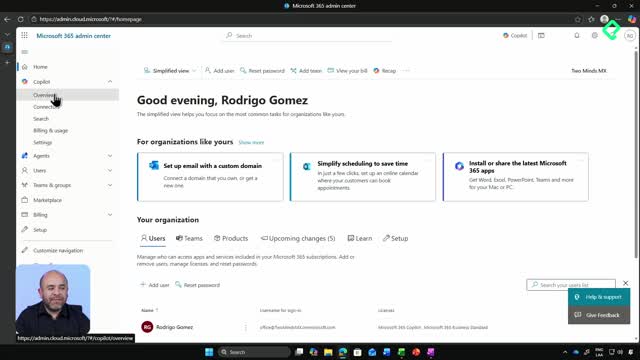
At the time of this recording, Cowork is not available to every Copilot user. Your Microsoft 365 tenant admin needs to switch on three things:
- Activate the Cowork capability in the tenant.
- Enable Frontier, the program that exposes early AI features before general release.
- Select Anthropic as an approved subprocessor for the tenant.
Without these three toggles, the features described below stay hidden, even if you already pay for Copilot.
What can you actually do with Cowork in a real workday?
The demo walks through a typical morning. The first prompt asks Cowork for a summary of the day, urgent emails, and pending tasks [05:50]. Cowork searches the Microsoft Graph and the Work IQ, then generates a small plan: summarize, prioritize, classify, and recap. You can watch every reasoning step as it runs.
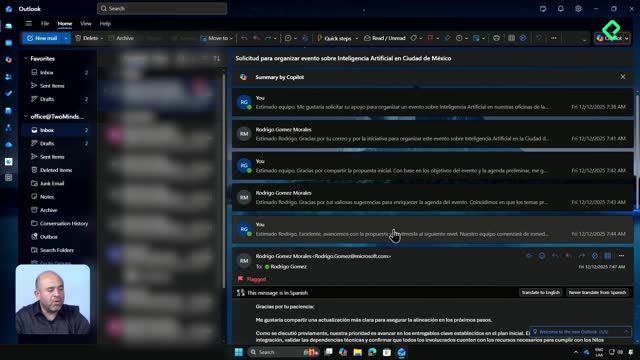
The second prompt asks Cowork to summarize the longest unanswered email thread and explain what is being requested. The agent ranks threads by length and recency, dives into Exchange Online with your own permissions, and returns the chronology, agreements so far, requests, and possible risks [07:20].
The third prompt is action, not analysis: draft a brief professional reply accepting the proposal and leave it in Outlook drafts. Cowork writes the reply, drops it in your drafts folder addressed to the right contact, and tags the email as AI-generated so the recipient knows.
Can Cowork send emails on my behalf? It can draft and place them in your drafts, but it asks for permission before sending anything. You stay in control of the final click.
The fourth prompt blocks focus time on the calendar from 2:00 PM to 4:00 PM [09:30]. Cowork creates the event directly in Outlook, lets you add a body, and saves the slot. The fifth prompt asks which task is the most important to execute today and why, turning the agent into a focus assistant for days when you come back from vacation or a long event.
How does Cowork stay secure with your data?
Cowork inherits your identity. It uses your user, password, and token to access apps, which means it can only see what you can see. Everything runs through Microsoft Graph permissions and the Microsoft 365 security stack, so the agent cannot leak data outside what your role allows.
Now think about your own role: legal, finance, operations, IT. Where would Cowork save you the most hours? Drop your use case in the comments and share the practices you have found useful so others in your field can learn from them.