
Build a Reusable Listening Practice Skill in Claude
Contenido del curso

Set up your AI tutor
Practice the four skills
Keep improving with your tutor
Recursos
Resumen
If you want to practice listening in English without reading, building a reusable listening skill in your LLM is the fastest way to do it. This walkthrough shows you how to create a listening practice skill in Claude, ChatGPT, or Gemini, run it in voice mode, and answer comprehension questions out loud. It's for English learners who want real speaking and listening reps, not just screen reading.
What does the listening practice activity actually do?
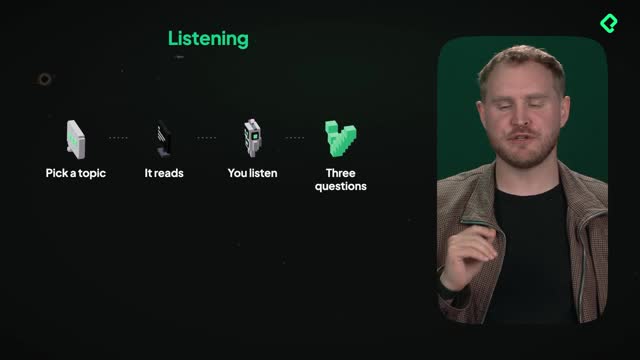
The setup is simple but intentional. You pick a topic, the LLM reads a short text aloud, and you listen without looking at the screen. Then it asks you three comprehension questions to check whether you understood.
The key rule here: this is a listening activity, not a reading one. The text appears on screen because LLMs have that limitation, so the trick is to look away while the audio plays [01:20]. If you get lost or confused, you can glance at the text to understand better, but the goal is to train your ear.
How long should a listening text be for beginners? At A1 level, aim for just 50 to 70 words, enough to take about 60 seconds to read aloud. As you move up through four levels, the texts get longer and more complex.
How do I create the listening skill in Claude?
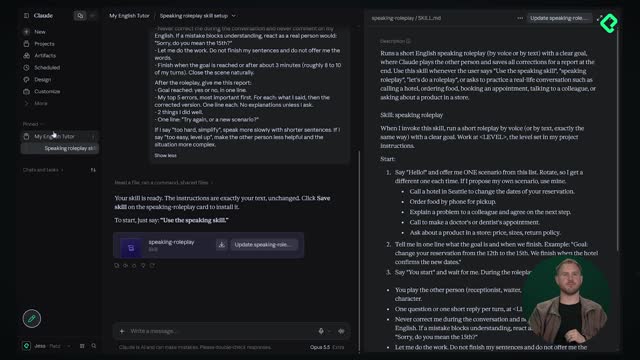
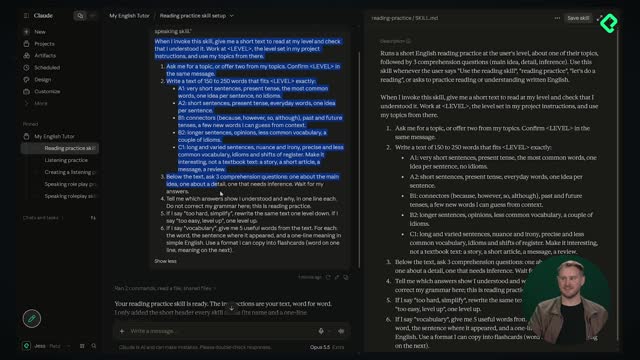
You start by going back to your LLM of choice (in this case Claude) and reusing the same prompt structure you built before. The only change is the name: Listening Practice [00:50].
Here's the flow to build it:
- Copy the listening prompt from the resource section.
- Paste it into Claude and read through it first.
- Let Claude generate the skill based on the prompt.
- Check that it kept the essence of what you asked for.
- Click Save Skill to store it.
Always read your prompts before sending them. In this one, the LLM is instructed to ask for a topic or offer one, write a text of about 60 seconds, start small at A1 and A2, read the text aloud, and finish with three comprehension questions [00:58].
Can I create this skill in ChatGPT or Gemini too? Yes. The exact same process works across ChatGPT, Claude, and Gemini. You create and save the skill once, then reuse it as many times as you want.
What does a real listening practice session look like?
Once the skill is saved, you go back to your project and test it by turning on voice mode. Then you ask for a listening practice session [01:04].
In the demo, the LLM read a short story about board games: last Saturday, Marco invited four friends to his flat for a game night. He wanted to play a new fantasy board game bought online, but the rules were long and complicated. After an hour of reading, everyone was hungry and bored, so they ordered pizza and played an old card game instead. In the end, they had a brilliant time, and Marco said he'll try the new game again next month, this time learning the rules before his friends arrive [01:14].
After the story, the skill asked three questions:
- How many friends did Marco invite?
- Why didn't they play the new game?
- What will Marco do differently next time?
Answer these with your voice, in your own words, so you never have to look at the screen. That's what makes it a genuine listening and speaking exercise instead of a reading one.
Now it's your turn. Create the skill, run the role-play, and drop your three questions and answers in the comments. In the next class, we'll build two new skills to practice reading and writing. See you there.