Recursos
Resumen
Building your own AI English interview coach starts with one simple idea: the tool needs to know exactly who it's coaching. That means your English level, your resume, and the specific fears that make you freeze during an interview. If you're preparing for interviews in English and want personalized practice, this walkthrough shows you how to set it up inside your favorite LLM.
What does an AI interview coach need to know about you?
Before the coach can help, it needs context. Three things make the difference here.
- Your English level, which you can confirm with the Platzi English Academy placement test if you haven't taken it yet.
- Your CV or resume, uploaded so the coach always has your professional background on hand.
- What blocks you most, meaning the questions or moments that scare you during interviews.
The whole point is personalization. You're creating this coach to practice your weak spots, not generic ones.
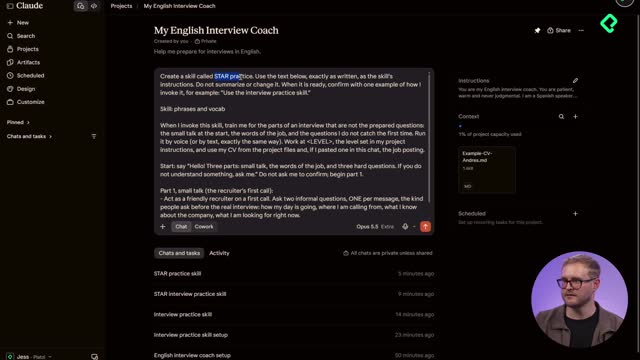
What's the first step to create an AI interview coach? Open your LLM of choice, create a new project (called a "Gem" in Gemini), and name it something clear like "My English Interview Coach." That project will store your profile and instructions.
How do I create the project in Claude, ChatGPT or Gemini?
The process is nearly identical across platforms, so pick whichever you prefer [00:50].
- In Claude, go to Projects, click the plus button, and select Create a Project.
- In Gemini, open settings, click Gems, and hit New Gem.
- In ChatGPT, go to Projects, click the plus sign, and create the project.
Name it "My English Interview Coach" and set it to private. Once created, you land in the project view where you'll add your context and instructions.
Why should I upload my CV to the project?
Uploading your resume gives the coach permanent context about your experience, so it can tailor questions to your real career [01:34]. Once uploaded, it always references that file going forward.
One smart safety tip: remove any sensitive information from your documents before uploading. Anthropic, OpenAI, or Google don't need your personal data, so strip it out first. If you're comfortable keeping it, that's your call, but removing it is the safer route.
How do I build my interview profile with a prompt?
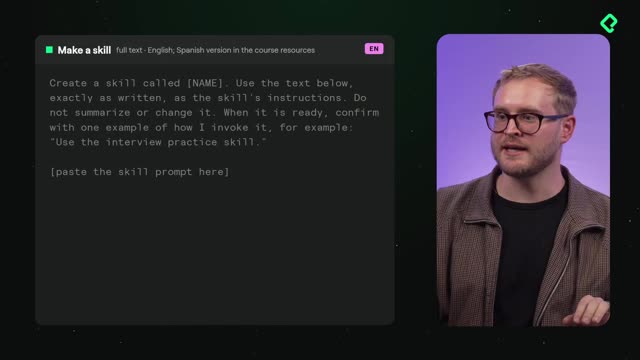
This is where the magic happens. You paste a prepared prompt into a new chat inside your project, and the coach interviews you to build your profile. You can find this prompt in English and Spanish in the resources section.
The prompt sets the tone clearly: "You are a warm, patient English interview coach. Interview me to set up my interview practice, then build the instructions for my coach. Ask one question per message, wait for my answer, then ask the next one. Keep every message short. I may answer in Spanish. You keep writing in simple English" [03:20].
And here's a useful detail: you can answer in Spanish, and the coach keeps replying in simple English. That lowers the pressure while you're setting things up.
What questions will the coach ask to build my profile?
The coach walks you through a short set of questions, one at a time [04:20].
- Do you know your English level? If not, take the placement test (it assumes B1 for now).
- What do you do now, in one line?
- What kind of roles are you going for, and in what industry?
- What are your two strongest skills?
- What have you achieved at work?
- What do you want next in your career?
- Do you have a LinkedIn headline or About section?
- What blocks you most in an interview?
- Which interview question do you fear?
- How much time can you practice per day?
In the example, the answers were honest and short: a B1 customer support specialist aiming for the hospitality industry, specifically resorts. Strengths were being good with people and organized, and the big achievement was leading a project [05:10]. The goal? Making more money, which, let's be honest, most of us want.
The fear block was freezing when speaking, and the dreaded question was "What is your biggest weakness?", a classic trope that rarely shows up in modern interviews but still makes people sweat. The practice time set was 15 minutes per day [06:40].
Why does practice time matter when setting up the coach? Because the coach uses it to design realistic, bite-sized sessions. Setting 15 minutes a day keeps practice consistent and manageable instead of overwhelming.
What is a system prompt and why does it matter?
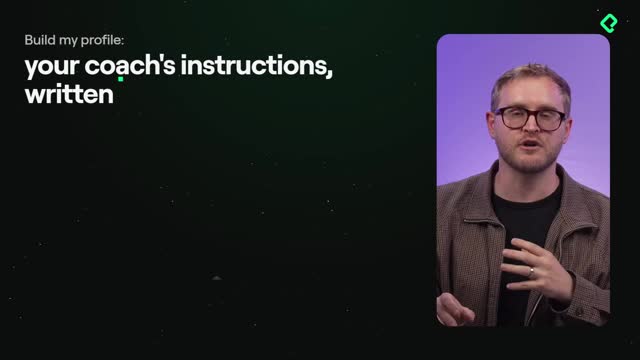
Once the coach generates your full project instructions, which include your bio and everything you answered, you copy that output and paste it into your project's instructions field. That's the key move.
This instructions file is called a system prompt, and it's treated as a prompt every time you open a new chat inside the project [07:30]. So your profile, your level, your fears, and your goals are taken into account automatically in every practice session.
What is a system prompt? It's a set of instructions stored at the project level that the LLM reads every time you start a new chat. It keeps the coach consistent, always acting with your profile and expectations in mind.
Read this generated prompt carefully and change anything you want. It's yours, so make it fit your needs.
What should I do before starting to practice?
Now it's your turn to set everything up [08:20]. Follow these steps exactly.
- Create the project in Claude, ChatGPT, or Gemini.
- Paste the prompt instructions and let the coach build your profile.
- Copy the generated profile into the system prompt (the instructions file).
- Add your resume or CV to the project's resource section for extra context.
With your coach fully built, you're ready to start playing and practicing real interview scenarios. Which interview question scares you the most? Drop it in the comments and see if others share the same fear.