How asyncio's Event Loop Schedules Tasks

Resumen

The asyncio event loop is the engine that coordinates every coroutine in your Python program, deciding when to pause and resume tasks so multiple I/O operations can progress without blocking. If you are learning asynchronous programming, understanding how the event loop schedules work is the difference between writing code that feels async and code that actually runs concurrently.

Think of it as a conductor: it does not play any instrument, but it cues every musician to play at the right moment.

What does the event loop actually do under the hood?

The loop runs a continuous cycle with four predictable steps. Once you internalize them, the rest of asyncio stops feeling like magic.

  1. Check ready tasks. It looks for coroutines that can run right now.
  2. Run until await. Each task executes until it hits an await.
  3. Pause and register. The paused task is stored, and the loop notes what it is waiting for.
  4. Repeat. It goes back to step one.

This is what allows multiple network calls, file reads or API requests to make progress at the same time on a single thread.

What is the event loop in asyncio? It is the scheduler that runs coroutines, pauses them on await, and resumes them when their awaited operation is ready. You usually access it through asyncio.run.

How do I create my own event loop instead of using asyncio.run?

Most of the time you will write asyncio.run(main()) and let Python handle the loop for you. But you can also build it manually, which is useful when you need precise control.

Here is the manual flow shown in class. First, import asyncio and create the loop with asyncio.new_event_loop(), storing it in a variable like my_loop. Then tell asyncio which loop to use by calling asyncio.set_event_loop(my_loop).

After that, you wrap your execution in a try block and run your coroutine with my_loop.run_until_complete(task). The translation is literal: run until this task is complete. Finally, close the loop in a finally block, because an open loop consumes server resources.

python import asyncio

my_loop = asyncio.new_event_loop() asyncio.set_event_loop(my_loop)

try: my_loop.run_until_complete(main()) finally: my_loop.close()

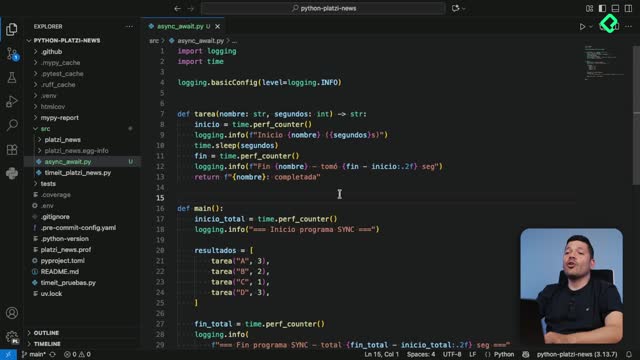
When you execute this with python src/async_await.py, the output is identical to using asyncio.run. The difference is that now you hold a reference to the loop and can tweak it, attach more task sets, or skip others depending on your needs.

How do I enable debug mode on the event loop?

Once you have your own loop variable, you can call my_loop.set_debug(True) to turn on detailed diagnostics. For the messages to appear, you also need to switch your logger from INFO to DEBUG at the top of the file.

When you run the script again, asyncio will print logs from its internal module, including which selector it is using to pick tasks. That selector is what decides which coroutine runs next, and you can replace it or build a custom one if your use case demands it.

When should I turn on asyncio debug mode? Turn it on while developing or troubleshooting slow coroutines, unexpected blocking calls, or selector behavior. Keep it off in production because it adds overhead.

When should you manage the loop manually versus using asyncio.run?

Manual management is the right call in a few specific scenarios. Outside of those, the simpler API wins.

  • When you need fine grained control over the loop lifecycle.
  • When you integrate asyncio with another framework that expects to share or own the loop.
  • When you do advanced debugging, like enabling set_debug(True) to inspect selectors and scheduling.

For everything else, stick with asyncio.run. It is shorter, safer, and handles loop creation and cleanup automatically.

Is asyncio.run the same as creating a new event loop manually? Functionally yes for simple scripts. asyncio.run creates a fresh loop, runs your coroutine to completion, and closes it. The manual version exposes each of those steps so you can intervene.

Why does this cycle make concurrency possible?

The loop is simple but powerful. It checks ready tasks, runs each one until an await, pauses and registers it, and repeats. That tight cycle is exactly what lets multiple I/O operations progress concurrently on a single thread without blocking the program.

With this foundation you can start wiring asyncio into real projects. As a challenge, find a library that lets you query APIs asynchronously and try integrating it into your code. In the next class we will walk through that integration step by step. ¿Qué librería async vas a probar primero? Déjalo en los comentarios.