Turning an idea into a working prototype is becoming one of the most valuable skills for product teams, and AI tools like Lovable, Bolt, and Replit are making it possible to do it in minutes instead of weeks. You will learn how to write effective prompts, choose the right model, and build a functional prototype without writing a single line of code, even if you do not have engineering resources at hand.
The Gemini team lead recently shared that they are shifting from a culture of writing what they want to build to creating interactive prototypes directly. The logic is simple: show, do not tell. Testing an idea in a clickable version reveals more than any deck or document.
Why are interactive prototypes replacing written specs?
Writing a long specification used to be the default. Now, building a prototype first lets teams validate whether an idea is worth pursuing before spending engineering hours on it.
This matters because you can talk to users, test concepts, and iterate without depending on a development team. You move from describing to demonstrating, and that changes how decisions get made.
What is a prototype in product development? It is an early, interactive version of an idea you can click through and test with users. It does not need to be production ready, just functional enough to gather feedback.
How do you write a good prompt for AI prototyping tools?
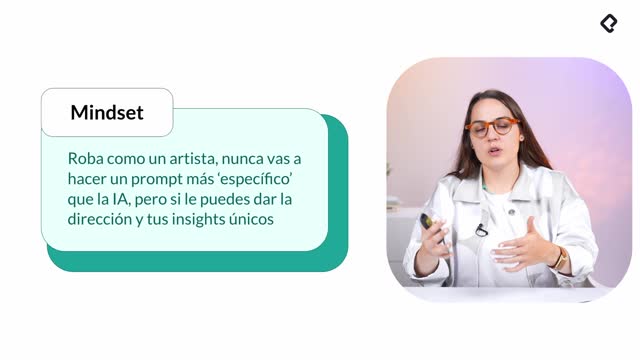
There are countless frameworks for prompting, and they keep evolving as models get smarter. The shortcut is to steal like an artist: use the LLMs themselves to help you craft the prompt that will feed tools like Lovable.
A practical workflow looks like this:
- Dictate your idea using a tool like Monologue to capture the core functionality.
- Let the AI ask follow up questions about purpose, users, and key features.
- Refine the prompt based on those answers.
- Copy the optimized prompt into your prototyping tool.
This approach saves time and produces a much sharper first version than typing a generic request.
How do I pick the right AI model for my use case?
A tool worth knowing is Design Arena, which compares model outputs across tasks like websites, images, and video. Users vote on the winning result, so you get a live ranking instead of testing every model yourself.
You can paste your instruction and see side by side comparisons across different models, which opens possibilities without losing hours exploring each platform individually.
What is the architecture behind tools like Lovable?
Understanding the basics helps you talk to these tools more effectively. Every web application has three layers:
- Front end: everything you see and interact with on the page.
- Application tier or back end: the server and the logic that makes the platform work.
- Data layer: the databases where information gets stored, invisible but always running behind the scenes.
When you ask a platform to save something, that data lives in the database. When you click a button, the front end talks to the back end, which talks to the data. Knowing this makes it easier to understand what is happening when your prototype behaves in unexpected ways.
What is the difference between front end and back end? Front end is what the user sees and clicks. Back end is the server side logic and database that powers those interactions invisibly.
How to build a prototype on Lovable step by step
Imagine you are part of a customer success team and your users need more interactive guides to solve problems. Tools like Supademo or Arcade exist, but the team does not want to pay for them. You can build your own version with Lovable.
The flow goes like this:
- Dictate the idea: a platform that lets you upload images, transform them with AI into interactive demos, and share them via link.
- Answer the AI follow up questions about purpose and users.
- Paste the refined prompt into Lovable and submit.
- Accept the cloud and built in back end permissions when prompted, since the tool needs to provision the database and server logic.
- Wait a couple of minutes for the first version, which usually includes a homepage and a login flow.
After the initial build, you can create a dummy account, upload screenshots, and start editing. In the example, screenshots of Platzi were used to build a three step interactive guide highlighting personalized learning paths, intermediate steps, and skill progress with tooltips.
Everything was added by typing in natural language and iterating until the result matched the intent. The final prototype walks the user through each step with visual highlights, all built in minutes.
What about pricing and security on these platforms?
Most AI prototyping platforms use a pay as you scale model. They are free to start, then charge as your usage or user base grows. For internal tools or prototypes the cost is usually reasonable.
Lovable runs a security analysis when you publish, but that does not replace a real engineer. If you plan to use the prototype for anything sensitive, get a security review from someone qualified. These tools accelerate building, they do not replace technical expertise.
Where can you find inspiration for your next prototype?
The Lovable community gallery has hundreds of published projects. One example shown was a team capacity allocation tool that tracks how many hours each member has booked and which projects they can take on.
The use cases are endless: internal dashboards, customer onboarding flows, content generators, scheduling tools. Browse the gallery, remix what others have built, and adapt it to your context.
Share your prototype version in the comments and tell the community what you built. Check what others are publishing to spark new ideas for your next iteration.