Curious about how much it actually costs to build a full project with Claude Code? Tracking Claude Code costs is straightforward once you know two commands and how each model is priced, so you can decide when to spend on reasoning power and when to stay lean.
How do you check the cost of a Claude Code session?
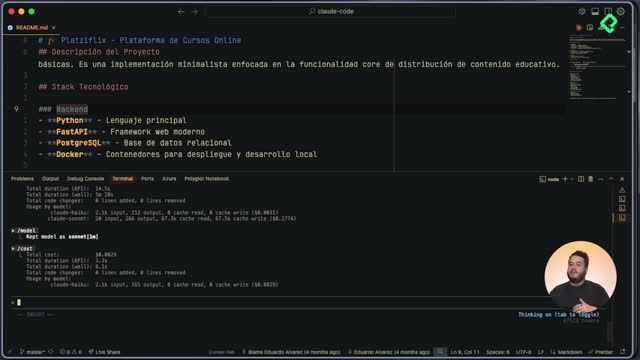
Inside the CLI, the active conversation already shows you the spend in real time. You can see the dollar amount, how long the API took to respond, the wait time, and the breakdown of input and output tokens for that session.
The limitation is that you only get visibility into the current conversation. Past sessions disappear from that view, which is a problem if you jump between repositories or work across several days.
How do I see the cost of my current Claude Code session? Run the cost command inside the active CLI conversation. It returns the dollar spend, API duration, and token usage for that session only.
What is CC Usage and how does it track daily token spend?
For anything beyond the current chat, there's a tool called CC Usage that runs through npx. It pulls daily costs between two dates and returns a table with the models used, input tokens, output tokens, cache created, cache read, and totals [2:00].
For this course, recorded across two days, the report showed:
- Two models in play: Sonnet 4.5 and Haiku 4.5.
- A total of 19,453,000 tokens consumed.
- A final bill of only $15.99.
That gap between 19 million tokens and 16 dollars isn't a typo. Claude Code caches context aggressively, and cached reads cost a tiny fraction of a fresh token. You pay full price the first time something is stored, then almost nothing each time it's reused.
Which Claude model should you pick for each task?
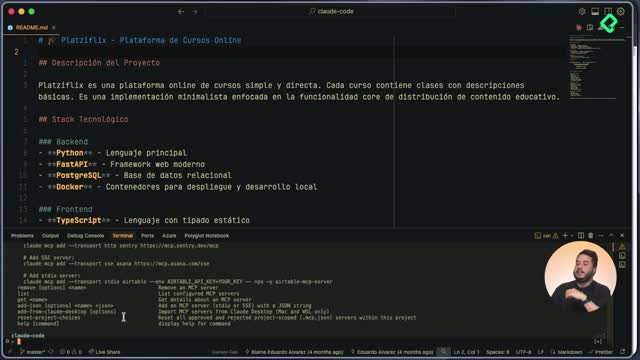
You can switch models from inside the CLI with the model command, which lists every option and its price per million tokens [3:30]. Picking the right one is a balance between task complexity and budget.
How much does each Claude model cost per million tokens?
Here's the pricing structure you'll see:
- Sonnet 4.5 (default): $3 input, $15 output.
- Opus: $15 input, $75 output. Built for complex reasoning.
- Sonnet with 1M context tokens: $6 input, $22.50 output.
- Haiku: $1 input, $5 output. Smaller and faster, good for simple tasks.
Which Claude model is best for everyday coding? Sonnet 4.5 is the recommended default. It handles complex tasks, runs fast, and the price gap with Haiku or Opus rarely justifies switching unless the task is extreme on either end.
When does it make sense to use Opus or Haiku instead?
Reach for Opus when the job needs deep reasoning, like architectural decisions or long multi step problems where mistakes cost more than tokens. Every context window you send will hit your wallet harder, but the output quality compensates.
Go with Haiku for quick, simple analysis where you just need a fast answer. Most of the time, though, you won't even think about this unless cost is a hard constraint.
Subscription or Anthropic console: which billing model fits you?
Claude Code authenticates in two ways, and each one changes how you should think about spend.
With a Claude subscription, you don't pay per million tokens. You get a predetermined allowance with a daily limit, so the thing to watch is the cap, not the dollar amount.
With the Anthropic console, you pay per million tokens and there's no daily limit. That's where cost monitoring becomes essential, and where the cost command and CC Usage earn their place in your workflow.
Between those two tools you get a full picture: real time spend on the active session, plus historical token consumption across every repository you've touched. Tell me in the comments how many tokens you burned through the exercises in this course.