Once Claude Code is configured inside your GitHub repository, the next step is learning how to invoke it directly from a pull request so it can review code, summarize changes, and respond to comments without leaving the platform. This workflow turns Claude Code into an automated code reviewer that lives inside your repo and reacts to your team's activity.
How do you invoke Claude Code inside a pull request?
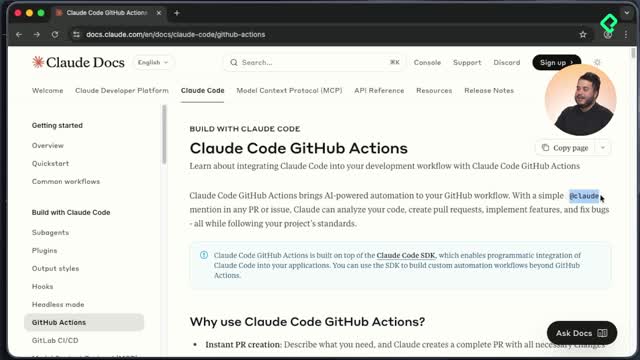
The trigger lives in the comments section of any pull request. Once the GitHub App has read and write permissions over pull requests, you can mention it with @claude followed by a clear instruction.
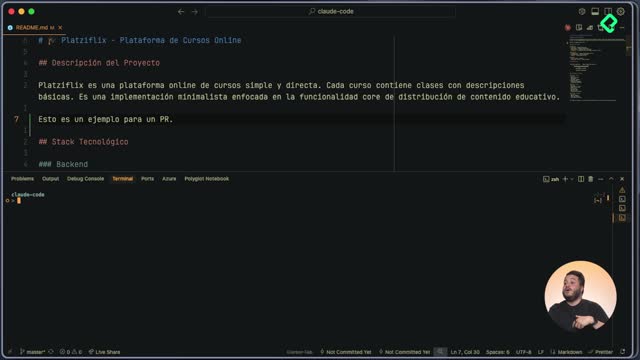
Before you can test it, you need a pull request to play with. A small change is enough, like adding a single line to the README.md. The flow looks like this:
- Create a new branch with
git checkout -b feat/claude-code-usage.
- Stage only the file you care about, for example
git add backend/README.md.
- Commit with a descriptive message such as A simple modification to README file.
- Push the branch and open the pull request from GitHub's UI.
Once the pull request exists, two things happen. First, the automated review job kicks off. Second, the comments section becomes your entry point to talk to Claude.
How do I call Claude inside a pull request? Write a comment starting with @claude followed by your request, for example: Explain the changes in this branch. Claude reacts with an eyes emoji to confirm it received the message and then posts a follow up comment with a link to the running job.
What happens when Claude Code reviews a pull request automatically?
The automated review is wired through GitHub Actions. The moment the pull request is created, a workflow defined in your repository starts executing the steps described in the workflow file. You can see it running because a small indicator lights up next to the pull request showing that the Claude Code review is in progress.
This job is essentially an automated code review. It scans the diff and the surrounding codebase looking for:
- Code smells and quality issues.
- Potential security flaws.
- Deviations from best practices.
When it finishes, Claude leaves a summary comment inside the pull request describing what it found and which improvements you could apply. It behaves like a teammate reviewing your code on every push, but available 24/7.
How does Claude track its progress on requested tasks?
When you mention Claude with a custom prompt, it analyzes both the pull request diff and the full codebase before answering. As it works, it publishes a checklist of the tasks it determined it needs to perform, similar to what you would see in the terminal but rendered inside GitHub.
Each task gets marked as completed as Claude advances. Once everything is done, it posts a final summary. In the example walked through, the summary identified that the modified file was the backend README, that two lines were added, and showed the exact change introduced.
Keep in mind that demo prompts can be simple, but real production code deserves precise instructions. The clearer your request, the more useful Claude's evaluation will be.
How do you bring pull request comments back to the terminal?
Reviews are not one way. Since the comments left by Claude or by any human peer live on the pull request, you can pull them into your local terminal and act on them with Claude Code there.
The command for this is pr comments. Run it from an open Claude Code session and it will use the GitHub CLI, the same one used during the GitHub App installation, to fetch every comment associated with the current pull request.
What does the pr comments command do in Claude Code? It fetches all comments from the active pull request using the GitHub CLI, lists them in your terminal, and lets Claude analyze and resolve them locally.
In the demo, the command returned the two existing comments: the automated code quality review and the response to the manual prompt asking Claude to describe the branch changes. From there, you can ask Claude to address the suggestions directly in your editor.
Why does this workflow matter for your daily development?
Having Claude Code installed inside the repository unlocks two practical capabilities:
- Access to the codebase without needing to open a text editor.
- A round trip between GitHub comments and your local environment, where Claude can read what reviewers said and help you resolve it.
This means you can collaborate with Claude in the same place where your team already collaborates, the pull request, and only drop into the terminal when you want deeper local control.
My challenge for you is to involve Claude Code in building a brand new feature using only the pull request interaction on GitHub. Drop a comment sharing what you built and how you solved it.
Key concepts and timestamps from the lesson
A quick map of the ideas covered, with the moment in the class where each one appears:
- Creating a feature branch with
git checkout -b feat/claude-code-usage to host the demo change [0:36].
- Staging a single file with
git add backend/README.md to keep the pull request focused [1:00].
- Automated pull request review job triggered on pull request creation [1:46].
- Detection of code smells, security flaws, and best practice violations during the automated review [2:08].
- Invoking Claude with
@claude plus a natural language prompt inside the comments section [2:30].
- Eyes emoji as confirmation that Claude received the comment [2:55].
- Live task checklist published by Claude as it works through the request [3:15].
- Final summary comment describing the modified file and exact diff [3:40].
- Using
pr comments inside Claude Code to pull pull request feedback into the terminal [4:20].
- GitHub CLI as the bridge between the local Claude Code session and the remote pull request [4:35].