
Organizing Python Code Into Packages
Contenido del curso


Calidad y Profesionalismo del Código
Manejo de Datos y Recursos


Optimización y Pruebas

Creación de Aplicaciones de Consola
- 19

UV: Faster Python Dependency Management
07:17 min - 20

How Python Modules Keep Your Code Organized
07:14 min - 21
Organizing Python Code Into Packages
Viendo ahora - 22
Función enumerate en Python para indexar listas automáticamente
09:31 min - 23
Filtrado de listas con filter en Python
11:44 min - 24
Función map para calcular tiempo de lectura en Python
08:59 min - 25
Conexión de OpenAI API con variables de entorno en Python
11:17 min
Organizing Python Code Into Packages
Resumen
Turning a flat Python script into a scalable application starts with understanding how to organize your code into packages and modules. If you have ever felt that your main.py is becoming a monolith with too many lines, grouping files into folders with a clear purpose will make your project easier to read, share, and grow.
What is a Python package and how do you create one?
A package in Python is simply a folder, but with one important rule: it must contain a special file named __init__.py. That file uses two underscores before and after the word init, and Python runs it every time another developer imports the package.
You can use __init__.py to initialize variables or set up any configuration you want to load only once. Without it, Python will not recognize the folder as a package.
What is
__init__.pyused for? It marks a folder as a Python package and runs automatically on import, which is the perfect place to initialize shared variables or configurations.
How should you name a package?
Package names follow the same conventions as variable names in Python. Use lowercase letters and underscores, and keep the name descriptive of what the package contains. In the example shown in class [03:00], the application package was named news_analyzer, while the tutorials folder was called examples.
How do you move from a flat structure to a package based project?
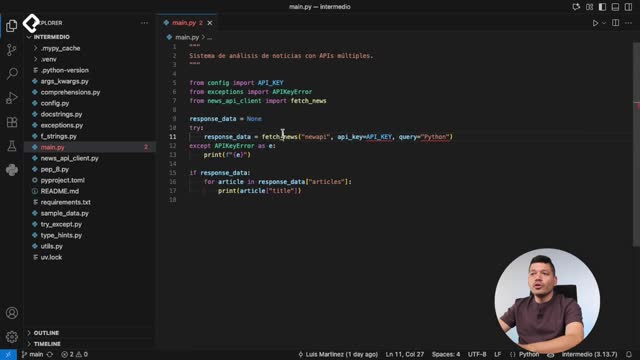
The starting point was a flat folder where every file lived at the same level: example scripts from previous lessons, the API client, the configuration, the exceptions, the utilities, and main.py. To clean it up, two packages were created [02:10]:
examples, holding every tutorial file from earlier classes.news_analyzer, holding only the files the application needs to run.
The main.py file stays at the root of the project. Keeping it outside is a good practice because it lets you run python main.py directly from the terminal without navigating into subfolders.
Inside news_analyzer, the following modules were grouped: api_client, exceptions, config, and utils. Once everything is grouped, the package becomes self contained and could be shared without depending on the example files.
Why rename modules after moving them?
When the project was flat, the file was called news_api_client.py to make its purpose obvious. Once it lives inside news_analyzer, the prefix news becomes redundant, so it can be renamed to api_client.py. Editors with Pylance offer an automatic refactor that updates every import across the project, which prevents broken references.
How do imports work between packages and modules?
After moving files, the imports in main.py need to point to the new package. Each level of nesting is separated by a dot. For example, news_analyzer.config tells Python to enter the news_analyzer package and then open the config module to find values like API_KEY or BASE_URL.
When two modules live inside the same package, you should use a relative import. Instead of writing the full path, you only need a dot before the module name. In api_client.py, importing config and exceptions becomes:
python from .config import API_KEY, BASE_URL from .exceptions import NewsAPIError
That single dot tells Python to look inside the same package where the current module lives. Without it, Python searches at the project root and raises a ModuleNotFoundError, which is exactly the error that appeared during the refactor [06:30].
When should you use relative imports in Python? Use them when a module imports another module from the same package. A leading dot points Python to the current package instead of the project root.
How should you order your imports?
Follow PEP 8 conventions. Standard library imports go first, third party imports next, and your own package imports last. Relative imports from the same package always go at the bottom, separated from the rest by a blank line.
Can you nest packages inside other packages?
Yes. The official Python documentation on the import system shows that a parent package can contain multiple child packages, and each child can hold its own modules and even more nested packages. The only requirement is that every package level must include its own __init__.py file.
This nesting unlocks three practical benefits:
- Clear separation between the application code and tutorials or experiments.
- Organized imports that read naturally, like
from news_analyzer.config import API_KEY. - Scalability, because adding a new feature only requires creating a new module or sub package.
The transformation from a single main.py monolith to an application split into packages and modules is what lets you collaborate with more developers and ship features faster. As a challenge, open the examples package, create nested packages inside it, and practice importing modules between them. What naming conventions are you planning to use for your own packages?