Reusable Components with Props in React Native
Contenido del curso




Módulo 2: Construcción de la Interfaz de Usuario
- 5

Using const, let, and Conditionals in JSX
10:35 min - 6

Reusable Components with Props in React Native
Viendo ahora - 7

Conditional Styles With StyleSheet in React Native
11:24 min - 8

Dark Mode Theming in React Native Apps
13:07 min - 9

Making React Native Dynamic with useState
12:12 min - 10

Adding Habits and Streaks With React Native State
13:24 min - 11

Pressable vs TouchableOpacity in React Native
09:36 min
Módulo 3: Interactividad y Manejo de Datos
- 12

ScrollView vs FlatList in a Habits Carousel
10:50 min - 13
Diferencias entre ScrollView y FlatList para listas grandes
09:47 min - 14
Instalación de Async Storage para persistencia de datos en React Native
14:54 min - 15
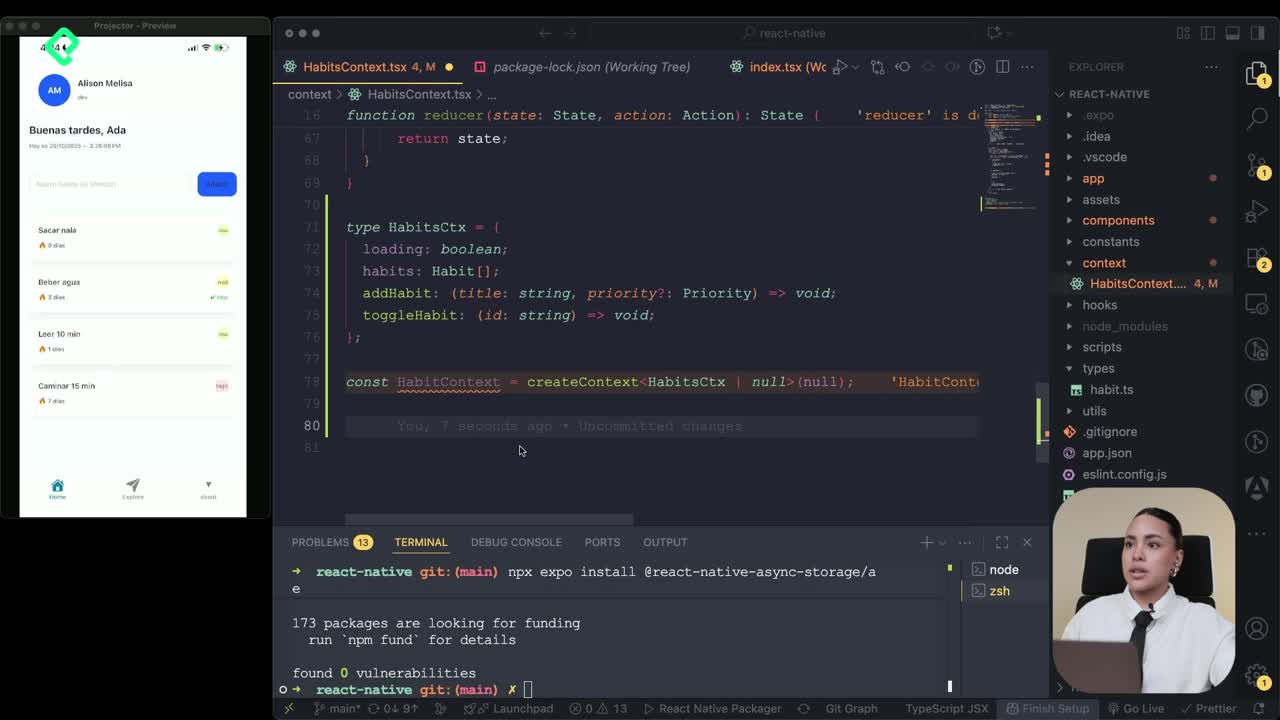
Persisting Habits with AsyncStorage Context
12:07 min - 16

Persisting Habits with AsyncStorage and Context
13:19 min - 17
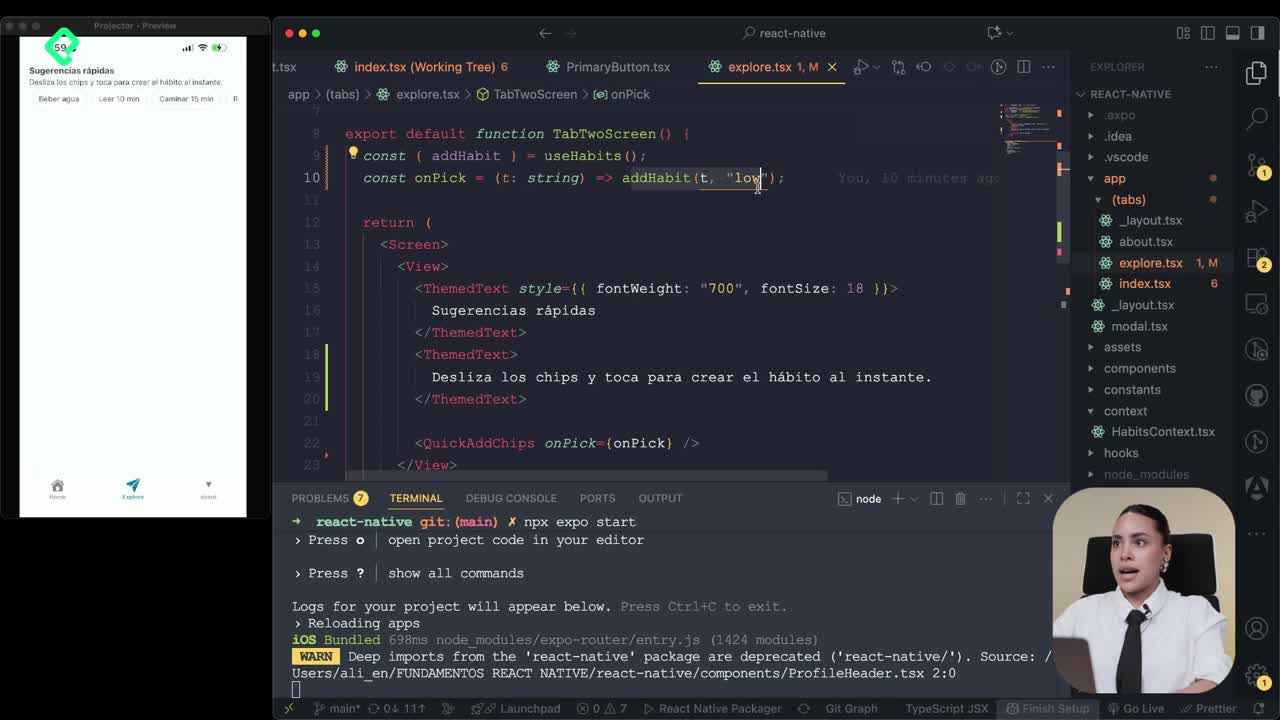
Confetti Animation With a Fake API Service
11:58 min - 18

Cómo crear una ExploreCard específica para iOS y Android
09:47 min - 19

Explore Tab Carousel With FlatList
12:49 min - 20

AI Avatar Generator with AsyncStorage
12:32 min - 21

Camera and Gallery Access in React Native
16:01 min
Módulo 4: Visualización de Listas y Contenido

Recursos
Resumen
Building reusable components in React Native lets you stop duplicating code and start composing screens from small, predictable pieces. You will learn how to create two reusable components, pass data through parameters and props, and render dynamic lists with map, all in TypeScript with TSX files.
This walkthrough is built for developers who already know the basics of React Native and want to structure a habit tracker app with clean, scalable components.
Why should you create reusable components in React Native?
When every screen has its own hardcoded views, your app becomes hard to maintain. A reusable component is a function you can export once and call as many times as you need, each time with different data.
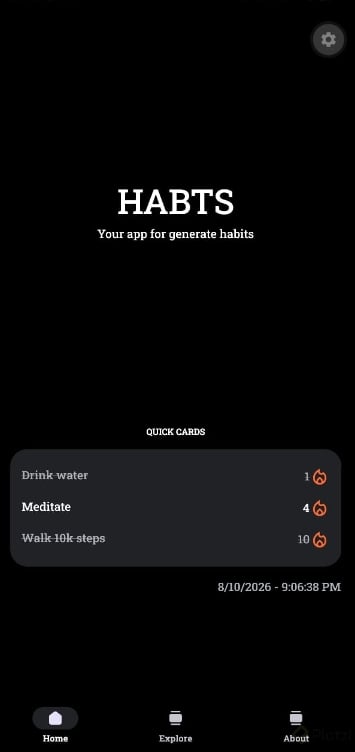
In the habit tracker example, two components do all the heavy lifting on the home screen: a greeting block and a habit card. The card alone renders three different habits without duplicating a single line of JSX.
What is a reusable component in React Native? It is an exportable function that returns JSX and accepts external data through parameters or props, so you can render it multiple times with different content.
How do you create the HabitGreeting component with parameters?
Inside the components folder, create a file called HabitGreeting.tsx. The .tsx extension matters because you are using TypeScript; if you were on plain JavaScript, you would use .jsx instead [02:00].
Declare a function and add export default so other screens can import it. The greeting receives a name parameter and uses three constants you saw in the previous class: the current date, the current hour, and a conditional greeting string that changes based on the time of day.
tsx import { View, Text, StyleSheet } from 'react-native';
export default function HabitGreeting(name) { const date = new Date(); const hours = date.getHours(); const greeting = hours < 12 ? 'Good morning' : hours < 18 ? 'Good afternoon' : 'Good evening';
return ( <View> <Text style={styles.title}>{greeting}, {name}</Text> <Text>{date.toLocaleDateString()}</Text> </View> ); }
The return statement holds the JSX, which mixes HTML-like tags with JavaScript expressions. Remember to import View, Text, and StyleSheet from react-native, otherwise the component will not compile [05:30].
How do you pass data with props in a TypeScript component?
The second component, HabitCard.tsx, shows a more powerful pattern: passing data through props with a typed contract. Instead of a single parameter, you define a type that lists every field the component expects.
For a habit card you need three props:
titleof type string, the name of the habit.strikeof type number, the streak in days.isCompleteof type boolean, whether the habit was completed today.
tsx type Props = { title: string; strike: number; isComplete: boolean; };
export default function HabitCard({ title, strike, isComplete }: Props) { return ( <View style={isComplete ? styles.cardComplete : styles.card}> <View style={styles.row}> <Text>{title}</Text> {isComplete && <Text>✓</Text>} </View> <Text>{strike} days streak</Text> </View> ); }
The styles use a conditional: if isComplete is true, the card renders with a green background, otherwise it stays neutral. The inner row style applies flexDirection: row, justifyContent: space-between, and centered text so the title and the check sit on the same line [09:45].
What is the difference between props and parameters in React? Parameters are arguments passed to any JavaScript function, while props are a typed object passed to a React component, usually destructured and validated through TypeScript types.
How do you render a list of components with map in React Native?
Reusing a component once is useful. Reusing it across an array is where the real productivity shows up. On the home screen, delete the old static examples and import both components by name; the editor adds the import path automatically.
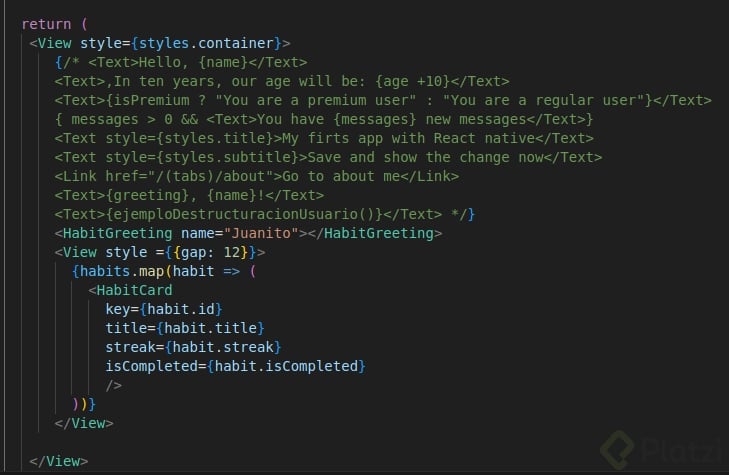
Call the greeting first and pass its parameter:
tsx <HabitGreeting name="Andrea" />
Then build an array of habits. Each object needs a unique id plus the three props the card expects.
tsx const habits = [ { id: '1', title: 'Drink water', strike: 3, isComplete: true }, { id: '2', title: 'Read', strike: 1, isComplete: false }, { id: '3', title: 'Exercise', strike: 7, isComplete: true }, ];
To render one card per habit, wrap the array call in curly braces, use map and an arrow function, and pass each property individually:
tsx {habits.map((h) => ( <HabitCard key={h.id} title={h.title} strike={h.strike} isComplete={h.isComplete} /> ))}
The key prop tied to id tells React each item is unique, which prevents rendering bugs and warnings. After saving, the screen shows three habit cards with different streaks (3 days, 1 day, 7 days) from a single component definition [16:20].
Why do I need a key prop when using map in React? Because React uses the key to identify which items changed, were added, or removed. Without it, you get warnings and unpredictable re render behavior.
What comes next after building reusable components?
You now have two components doing the work of dozens of static views, with typed props, conditional styles, and dynamic lists. The next step is reusing styles the same way you reused logic, so your visual language stays consistent across every screen.
Which component would you build first in your own app, the greeting or the card? Share your idea in the comments.