Contenido del curso

SEO and Narrative Structure
Strategic Networking
Content Creation and Engagement

Job Search Tactics
How LinkedIn Recommendations Build Your Network
Resumen
LinkedIn recommendations are one of the most underused tools to grow a relevant professional network, and learning how to ask for and give recommendations on LinkedIn can change how recruiters, peers and potential collaborators perceive your work. Here you'll see why that mental block stops you, and how to break it.
Why does asking for a LinkedIn recommendation feel uncomfortable?
Most professionals freeze when it's time to request a recommendation. The reason is simple: we get absorbed in our daily routine, our team, our manager, our safe environment, and we forget to keep the network alive when we move to the next role or project [00:34].
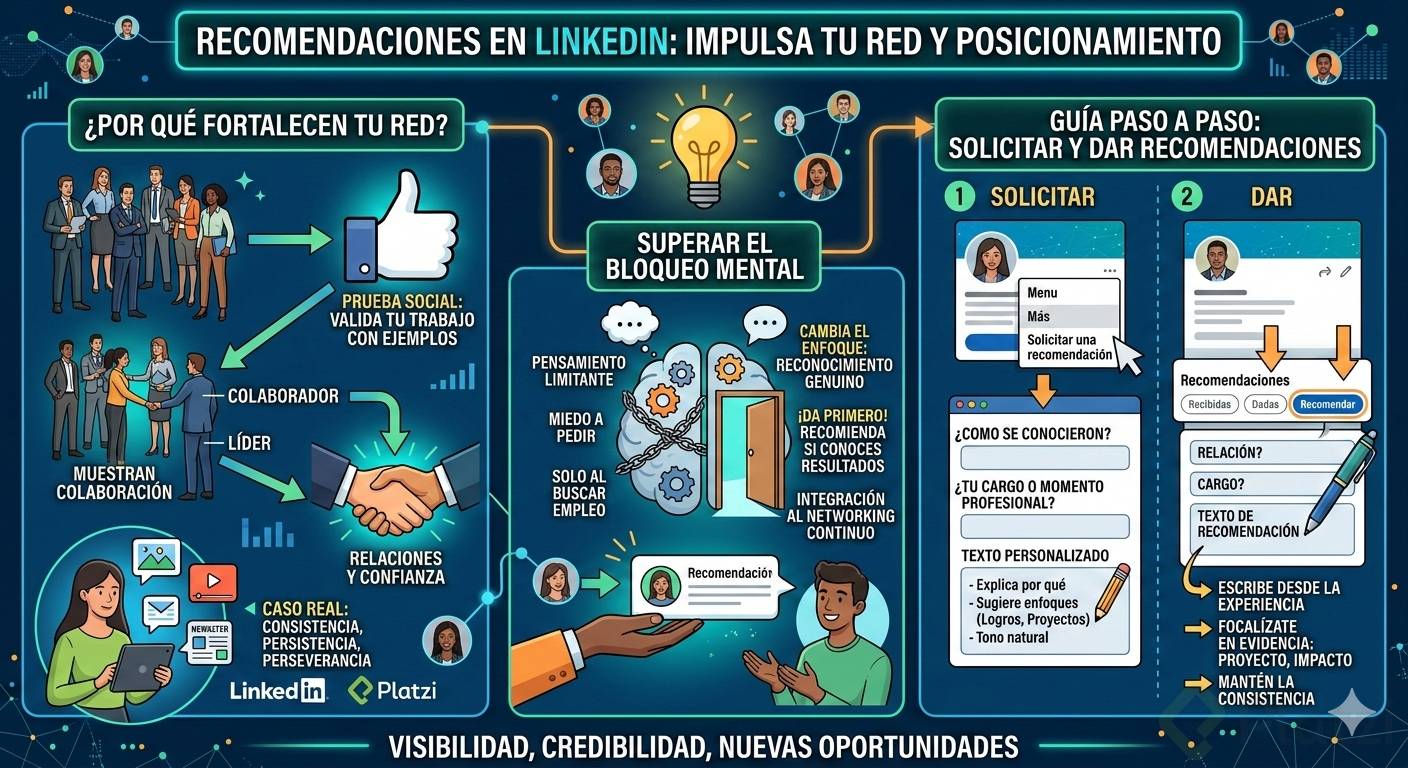
The request usually appears at the worst moment: after a layoff, during a job search, or when launching a new service. That urgency makes the ask feel awkward. Reframe it. A recommendation is social proof of real results, not flattery or fiction. Speaking well of someone means showing, with evidence, why they're a strong colleague, leader, direct report, or the person who shipped an international project [01:54].
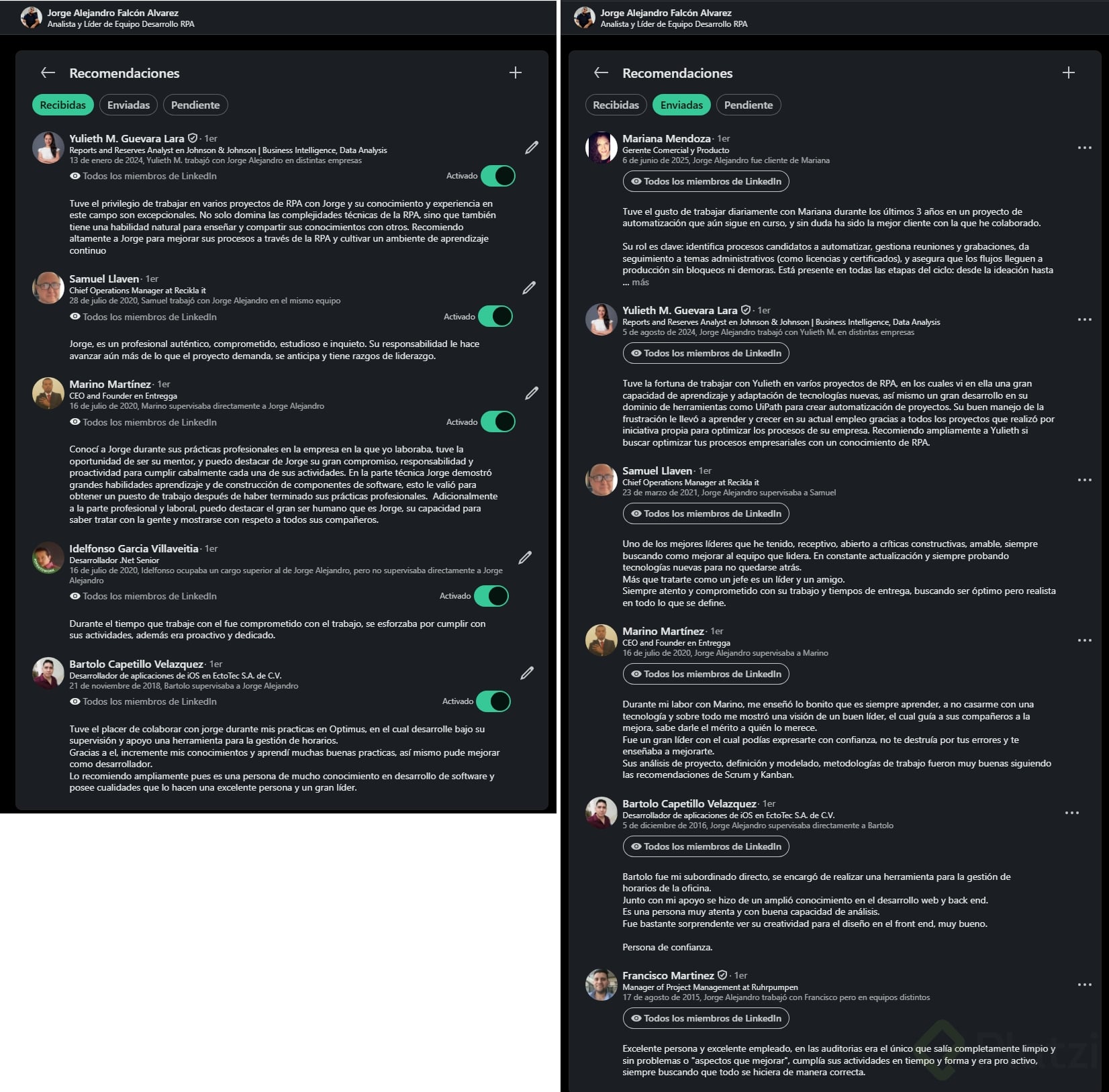
What is a LinkedIn recommendation? It's a public endorsement written by a first-degree connection that appears on your profile, backing your skills and results with their own perspective and experience.
How can content turn LinkedIn into a real networking engine?
Before the how-to, a quick story that proves the point. I've been creating content on LinkedIn for the past three years, and I've used the platform since 2010, originally through its recruiter tool [02:32]. Posting on LinkedIn is another form of connection: posts, photos, videos, live sessions, newsletters [03:09].
That's how Alejandra Álvarez found me. She had been following my content for a while, sent a message, and proposed a collaboration with Platzi [03:30]. The lesson: your content builds a network you can't even see yet, and those silent followers can become your next opportunity.
How do I request a recommendation on LinkedIn step by step?
Before anything else, confirm you're a first-degree connection with that person. You may know each other for years, but if you're not connected on the platform, the request won't work [03:55].
Then follow this flow on their profile:
- Open the person's profile and click on the More button.
- Select Request a recommendation.
- Fill the fields marked with an asterisk, since they're required by LinkedIn.
- Choose the relationship: how you know them (for example, we worked in the same group).
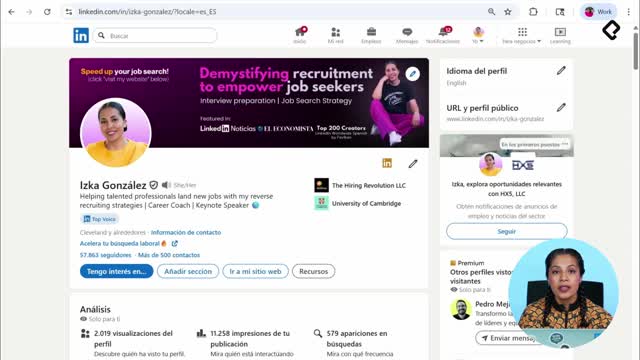
- Add your current position, like Keynote Speaker at Hiring Revolution [04:40].
- Personalize the message instead of leaving the default text.
The personalization step is where most people lose the opportunity. If you're targeting an international role, mention it. If you want the person to highlight a specific result you delivered together, give them context, not a script. The goal is a natural recommendation written from their own perspective, with a small nudge from you [05:18].
How long should a LinkedIn recommendation request message be? Short and specific. LinkedIn shows the character counter as you type. Explain why you're asking, what stage you're in, and what kind of collaboration you shared, in a few lines.
What if I'm afraid to ask for a recommendation?
Flip the exercise: give one first. Think of a contact whose work you genuinely admire and write a recommendation as a form of recognition [05:48]. It removes the pressure and activates reciprocity in a healthy way.
Where do recommendations appear on a LinkedIn profile?
Scroll almost to the bottom of any profile. The Recommendations section sits near the end, after the core sections of the profile [06:05]. There you can see:
- Recommendations the person has received.
- Recommendations the person has given.
- A button to recommend them, if you're already connected.
When you click Recommend, the structure mirrors the request flow: relationship, position at the time you worked together, and the body of your recommendation [06:30].
Should I give a LinkedIn recommendation without being asked? Yes. Proactive recommendations strengthen your network, signal leadership, and often trigger a recommendation back without you having to ask.
Now that strategic networking is in place, the next move is making your content stand out so the right people find you first. What's stopping you from sending your first recommendation request today? Drop your thoughts in the comments.