Clase 22 – Tablero Kanban y Definición de Listo
---
q. CASO SALUD TECH
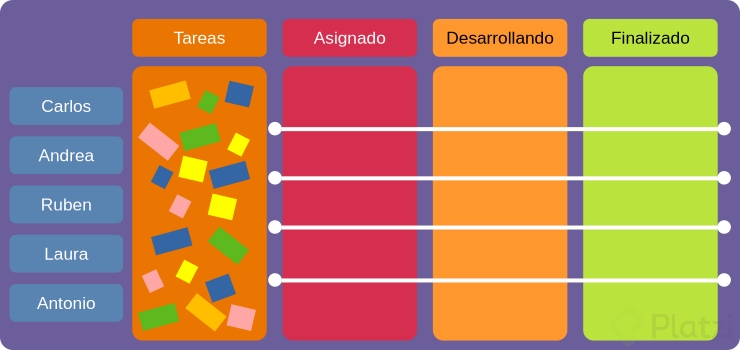
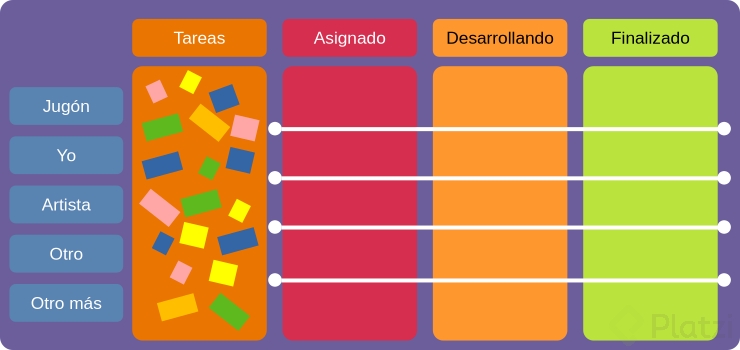
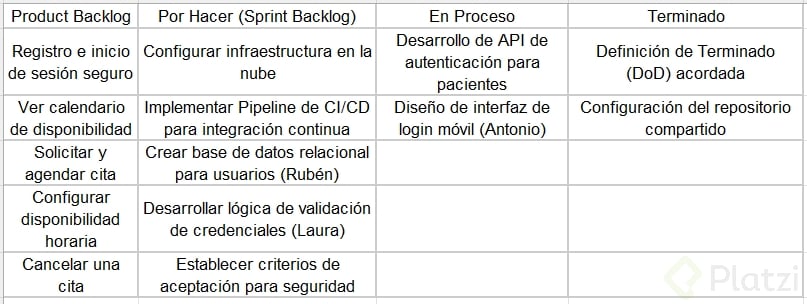
i. Tablero Kanban (4 columnas)
Product Backlog Por Hacer Haciendo Hecho
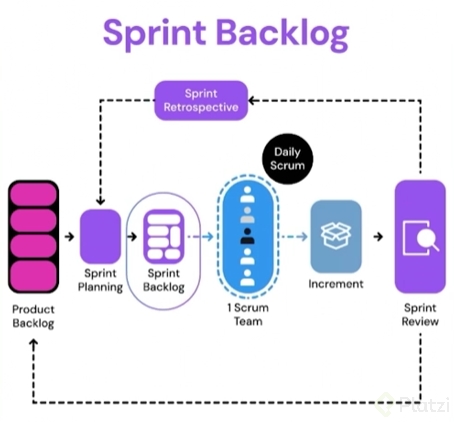
Características: Ítems priorizados, refinados y estimados. Cumplen DoR. Solo PO (Carlos) puede añadir/quitar. Sprint Backlog: Historias comprometidas para el sprint actual. Máximo 5 ítems por sprint (1 semana). WIP limit: 3. En desarrollo: Máximo 2 ítems por developer simultáneamente. Se mueve al iniciar la tarea. Incluye subtareas (code, test, review). Completado: Cumple DoD, pasó code review, CI verde, PO aceptó demo en staging. Listo para Sprint Review.
Ejemplo: "Como paciente quiero pagar cita con tarjeta" (MOSCOW: Could Have) Ejemplo: Sprint 2: Solicitar/agendar cita (5pts) Sprint 2: Configurar disponibilidad (3pts) Rubén: DB – Crear tabla appointments (Haciendo) Laura: Backend – Endpoint POST /appointments (Haciendo) Antonio: Mobile – Pantalla "Nueva Cita" (Haciendo) Sprint 1: Registro/login (✅) Sprint 1: Ver portfolio médicos (✅)
Defectos técnicos: Refactorizar auth middleware (deuda técnica) Impedimentos: Esperando API key del hospital Review: PR #23 – Code review de Laura pendiente de Antonio Bloqueado: Nada en esta columna. Si hay bloqueo, se regresa a "Por Hacer" con sticky rojo.
Normas del tablero:
- Daily Scrum: Cada developer mueve su tarea al terminar día; si no se mueve 2 días seguidos, Andrea investiga impedimento.
- WIP limits: Por persona = 2 ítems; Por columna "Haciendo" = 6 ítems totales (3 devs × 2). Si se llena, nadie puede tomar más hasta terminar.
- Colores: Amarrillo = funcionalidad, Azul = bug, Rojo = impedimento crítico, Verde = técnica.
---
ii. Definición de Listo (DoR) – Salud Tech
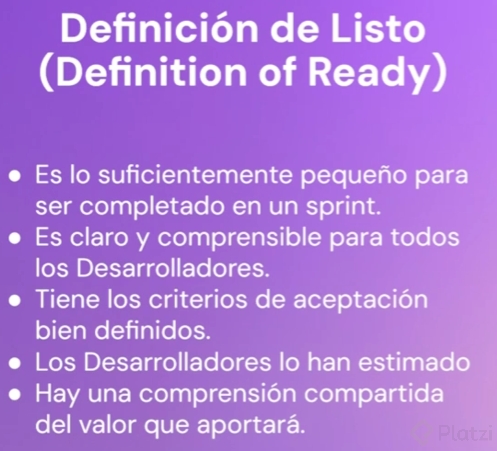
Un ítem de Product Backlog pasa a "Por Hacer" solo si cumple:
Checklist DoR (obligatorio):
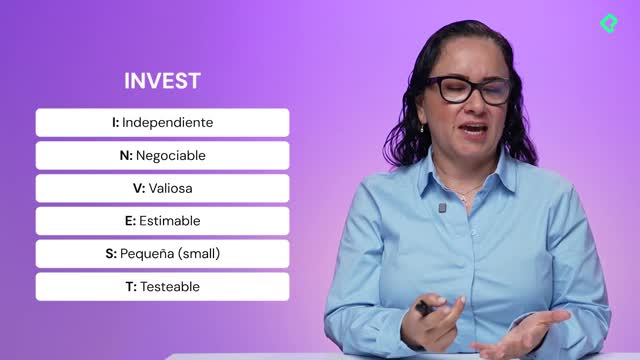
- ✅ INVEST: Es independiente, negociable, valiosa, estimable, pequeña (≤5 pts), testeable.
- ✅ Criterios de aceptación: 3-5 criterios escritos, con al menos 1 de seguridad o consistencia.
- ✅ UI/UX: Wireframe de baja fidelidad (Figma o boceto) adjunto a la historia. PO validó que cumple la promesa de usuario.
- ✅ Dependencias: No tiene bloqueos externos (ej: si necesita API del hospital, la key ya está en el equipo).
- ✅ Validación: PO (Carlos) firmó digitalmente que está disponible durante el sprint para responder dudas (compromiso de 2h/semana).
- ✅ Estimación: Equipo la estimó con Planning Poker y está refinada con SM.
- ✅ Cumplimiento: Se identificó si requiere validación legal (ej: auditabilidad) y se tiene un plan con owner.
Ejemplo de ítem NO listo:
"Como paciente quiero pagar cita" NO pasa porque: (1) falta integración con pasarela de pago (dependencia externa), (2) Carlos no ha definido qué método de pago aceptan, (3) no hay wireframe de UI. Se queda en Product Backlog hasta que Rubén investigue Stripe y Carlos confirme requisitos.
---
r. PROYECTO PERSONAL – APP "FINZ"
i. Tablero Kanban (4 columnas)
Product Backlog Por Hacer Haciendo Hecho
Backlog refinado: Historias en MOSCOW, estimadas (Fibonacci), con criterios claros. No límite de ítems. Este sprint: 3 historias máximo para 2 semanas. WIP = 3. Máximo 2: Solo 2 tareas activas a la vez para evitar multitarea. Completadas: Cumple DoR personal, testeada en mi teléfono, commit pusheado.
Ejemplo: Simular aportes periódicos (Could Have / 8pts) Sprint 3: Alerta de caída >5% (3pts) Sprint 3: Manejo errores API (2pts) Backend: Job de alertas cada 5 min (Haciendo) Mobile: Pantalla config alertas (Haciendo) Sprint 2: Detalle por activo (✅) Sprint 2: Configurar umbral alerta (✅)
Investigación: Investigar API de Yahoo Finance (pendiente de 2h) Bloqueado: Nada en "Por Hacer". Si algo está bloqueado, se regresa a Backlog con tag #bloqueo. En review: PR a mi propio repo (sí, me hago code review) Libres para demo a mi usuario beta.
Normas del tablero:
- WIP limit: "Haciendo" = 2 ítems máximo. Si me paso, forzoso termino algo antes de empezar algo nuevo.
- Daily: Cada mañana muevo tareas; si algo lleva 3 días en "Haciendo", anoto el impedimento en Notion.
- Colores: Verde = funcionalidad, Amarillo = bug, Gris = tareas técnicas (CI, docs).
---
ii. Definición de Listo (DoR) – Proyecto Personal
Un ítem pasa de Product Backlog a "Por Hacer" solo si:
Checklist DoR (obligatorio):
- ✅ Historia escrita: Formato "Como… quiero… para…" completo y claro.
- ✅ Criterios de aceptación: 3 CR mínimo, con 1 técnico (ej: "funciona en offline").
- ✅ Mock UI: Boceto de la pantalla en papel o Figma; sé exactamente cómo se verá.
- ✅ Investigación: Ya tengo la API key, investigué límites del plan gratis, leí docs.
- ✅ Estimación: Asigné puntos de historia (1, 2, 3, 5, 8). Si es >8, la rompo en más pequeñas.
- ✅ Tiempo: Sé que puedo completarla en ≤4 horas de trabajo concentrado (mitad de un día de sprint).
Ejemplo de ítem NO listo:
"Simular aportes periódicos" NO pasa porque: (1) no tengo claro la fórmula exacta, (2) no dibujé la UI, (3) es 8pts y me tomaría 6 horas – la debo romper en "Crear pantalla de simulador" y en "Implementar cálculo de simulación".